
Quick Summary
- Who this guide is for: Filipino citizens, OFWs, and foreigners seeking PhilHealth membership or updates.
- Important Notes: Always prepare valid IDs and correct forms before proceeding.
- Estimated Time: 16 minutes for reading and preparation.
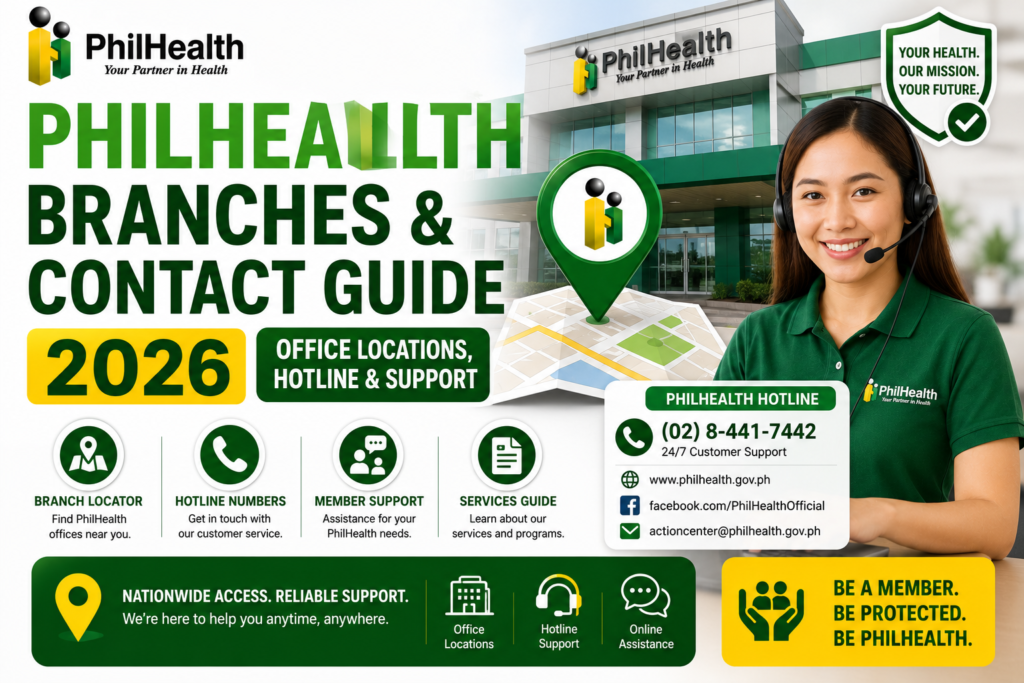
PhilHealth Branches & Contact Guide 2026: Complete Office Locations, Hotline & Support
Types of PhilHealth Offices Explained
| Office Type | Description | Best For |
|---|---|---|
| Regional Office (PRO) | Administrative hub for a region; full range of services | Complex transactions, employer registration, appeals |
| Local Health Insurance Office (LHIO) | Community-level branch handling member transactions | Member registration, MDR printing, updates, inquiries |
| PhilHealth Express | Service kiosk for quick transactions; often in malls | Payments, MDR printing, basic inquiries |
| Satellite Office | Smaller extension office in underserved areas | Registration, basic updates, document submission |
| Business Center | Focused on employer and enterprise transactions | Employer registration, bulk remittance, compliance |
Which PhilHealth Office Should You Visit?
- New member registration: LHIO, Regional Office, or Satellite Office.
- MDR printing or ID application: LHIO, Regional Office, or PhilHealth Express.
- Contribution payment: PhilHealth Express, accredited banks, or online — not all branches accept cash payments directly.
- Complex claims or appeals: Regional Office.
- Employer registration: Business Center or Regional Office.
Always check which services are available at your intended office before traveling. Many transactions can now be completed through the Member Portal, saving you a trip entirely.
How to Find the Nearest PhilHealth Branch
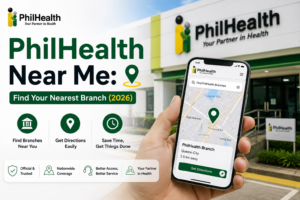
PhilHealth provides an official Office Locator on its website. Visit the PhilHealth website and look for the “Contact Us” or “Office Locator” section. You can search by region, province, or city to find the closest PhilHealth branch. The locator typically displays the office address, contact number, and services available. You can also call the PhilHealth hotline and ask the agent for the branch nearest your location. For members in rural areas, the nearest LHIO or Satellite Office may be in the provincial capital or a major municipality.
PhilHealth Regional Office Directory Overview
PhilHealth has Regional Offices strategically located across the Philippines — covering the National Capital Region, Luzon, Visayas, and Mindanao. Each Regional Office supervises multiple Local Health Insurance Offices within its territory. The complete directory of regional offices with addresses and contact numbers is maintained on the official PhilHealth website. Rather than listing addresses that may become outdated in this article, I strongly recommend visiting the official PhilHealth Office Locator for the most current directory. The regional structure ensures that every province has accessible PhilHealth services.
PhilHealth Hotline and Contact Numbers
PhilHealth maintains a customer service hotline for member inquiries, complaints, and assistance. The official hotline number is published on the PhilHealth website’s Contact Center page. When calling, have your PhilHealth Identification Number ready — the agent will need it to pull up your records. Hotline hours may differ from branch office hours. Some hotlines operate extended hours or 24/7 for urgent concerns. Always verify the current hotline number through the official PhilHealth website, as contact numbers can change.
Official PhilHealth Email Support
PhilHealth provides official email support through addresses published on their website. Email support is ideal for non-urgent inquiries, document submissions, and follow-ups that do not require immediate response. When emailing PhilHealth, include your complete name, PhilHealth PIN, a clear subject line describing your concern, and any relevant attachments. Response times vary based on inquiry volume. Always use the official email addresses listed on the PhilHealth website — scammers create fake email addresses that mimic official ones.
PhilHealth Office Hours and Peak Visiting Times
| Time | Traffic Level | Recommendation |
|---|---|---|
| Early Morning (opening time) | Low to Moderate | Best time to visit |
| Mid-Morning to Early Afternoon | High | Expect longer waiting times |
| Late Afternoon (1-2 hours before closing) | Moderate | Good alternative to peak hours |
Most PhilHealth branches operate on weekdays during regular business hours. PhilHealth Express kiosks in malls may have extended hours including weekends. Check the specific office hours of your intended branch before visiting, as they may vary by location.
Quick Contact Reference
- Official Website: www.philhealth.gov.ph
- Member Portal: Access through the official website
- Hotline: Verify current number on official Contact Center page
- Email: Verify official email addresses on the PhilHealth website
- Office Locator: Available on the official PhilHealth website
Documents to Bring Before Visiting a PhilHealth Branch
| Transaction | Documents to Bring |
|---|---|
| New Registration | Completed PMRF, valid ID, supporting documents |
| Member Data Update | PMRF marked “For Updating,” supporting documents |
| MDR Printing | PhilHealth PIN, valid ID |
| PhilHealth ID Application | PhilHealth PIN, valid ID, completed PMRF if new |
Services Available at PhilHealth Branches
- New member registration and PIN issuance
- Member data updates (name, civil status, address, dependents)
- PMRF submission and processing
- MDR printing and certification
- PhilHealth ID application and replacement
- Contribution inquiries and payment verification
- Claims assistance and follow-up
- Dependent addition, update, and removal
- Membership verification and status checks
- Employer registration and compliance services
Services You Can Complete Online Instead of Visiting a Branch
| Service | Where to Access Online |
|---|---|
| Check Contribution History | Member Portal |
| Download MDR | Member Portal |
| Generate SPA | Member Portal |
| Pay Contributions | GCash, Maya, online banking |
| Online Registration | Online Registration Portal |
| Update Contact Details | Member Portal |
Always check if your transaction can be completed online before making a trip. The Member Portal is available 24/7 and handles many common transactions without the need to visit a branch.
How to Contact PhilHealth If You Are Overseas
OFWs and Filipinos abroad can contact PhilHealth through the official email support channels, the Member Portal, and verified social media accounts. The international hotline, if available, is listed on the PhilHealth website. Email is often the most practical contact method from abroad due to time zone differences. For urgent matters requiring immediate attention, a family member or authorized representative in the Philippines can visit a PhilHealth branch on your behalf with an authorization letter and copies of your valid IDs.
Accessibility Services at PhilHealth Branches
PhilHealth offices strive to accommodate members with disabilities, senior citizens, and pregnant women. Many branches have priority lanes for senior citizens and persons with disabilities. If you require special assistance, inform the guard or information desk upon arrival. For members with mobility challenges, check if your transaction can be completed online or through an authorized representative to avoid the need for a personal visit.
Tips for Shorter Waiting Times at PhilHealth Branches
- Arrive early — ideally at opening time.
- Avoid Mondays and Fridays — these are typically the busiest days.
- Avoid the day after a holiday — backlogs increase wait times.
- Bring all documents complete — incomplete requirements mean a wasted trip.
- Check if your transaction is available online — you may not need to visit at all.
Common Reasons Members Visit PhilHealth Offices
- First-time registration and PIN issuance
- PhilHealth ID application and biometric capture
- Updating personal information after marriage
- Adding newborn children as dependents
- Resolving contribution discrepancies
- Following up on claims and reimbursements
- Merging duplicate membership records
Expert Tips for a Smooth PhilHealth Branch Visit
- Download and complete forms beforehand — print the PMRF or update forms from the PhilHealth forms page and fill them out at home.
- Bring your own pen and a folder to organize your documents.
- Take a photo of your transaction slip before leaving the branch for your records.
- Ask for the officer’s name handling your transaction for follow-up reference.
- Verify the branch schedule online or by phone before traveling — some branches close for lunch or have specific transaction cut-off times.
Reference Comparison Tables
Branch Visit vs Online Transaction
| Transaction | Can Do Online? | Branch Required? |
|---|---|---|
| Check Contributions | Yes — Member Portal | No |
| Download MDR | Yes — Member Portal | No |
| Pay Contributions | Yes — GCash, Maya, online banking | No |
| Apply for PhilHealth ID | No | Yes — biometric capture required |
| Merge Duplicate Records | No | Yes |
Frequently Asked Questions About PhilHealth Branches & Contact
What is the difference between a PhilHealth LHIO and a Regional Office?
A Local Health Insurance Office (LHIO) is a community-level branch that handles day-to-day member transactions like registration, MDR printing, and updates. A Regional Office is the administrative hub for a larger geographic area, overseeing multiple LHIOs and handling more complex transactions, appeals, and employer services.
Do I need an appointment to visit a PhilHealth branch?
Most PhilHealth branches accept walk-in visitors without appointments. However, some branches or specific transactions may require appointments. Check with your intended branch before visiting, as policies vary by location and may change.
Can I pay my PhilHealth contributions at any branch?
Not all PhilHealth branches accept cash contribution payments directly. Many branches direct members to PhilHealth Express kiosks, accredited banks, or online payment channels like GCash. Check with your specific branch or use online payment for convenience.
What should I do if the PhilHealth hotline is busy or not answering?
Try calling during off-peak hours — early morning or late afternoon. Alternatively, use the email support channel, send a message through verified social media accounts, or visit the Member Portal where many common inquiries can be resolved without calling.
Can I authorize someone to transact on my behalf at a PhilHealth branch?
Yes. Provide your authorized representative with a signed authorization letter, photocopies of your valid ID, their own valid ID, and all required documents for the transaction. Some transactions may still require your personal appearance.
Key Takeaways
- PhilHealth branches include Regional Offices, LHIOs, PhilHealth Express kiosks, Satellite Offices, and Business Centers — each serving different purposes.
- Many transactions — contribution checks, MDR downloads, SPA generation, online registration — can be completed through the Member Portal without visiting a branch.
- Always verify current office hours, hotline numbers, and email addresses through the official PhilHealth website before visiting or contacting.
- Bring complete documents — PhilHealth PIN, valid ID, and transaction-specific forms and supporting papers.
- Branch locations and contact information may change. Always verify through the official PhilHealth website at www.philhealth.gov.ph.
Image Recommendations for This Article
- Filename: philhealth-branches-office-locator-map.jpg
ALT: Map showing PhilHealth branch locations across the Philippines with regional office markers.
Title: PhilHealth Office Locator Map
Caption: Use the official PhilHealth Office Locator to find the nearest branch in your area. - Filename: philhealth-lhio-branch-interior-service.jpg
ALT: Interior of a PhilHealth Local Health Insurance Office with members being served at transaction counters.
Title: Inside a PhilHealth LHIO
Caption: Local Health Insurance Offices handle member registration, MDR printing, and membership updates. - Filename: philhealth-express-kiosk-mall.jpg
ALT: PhilHealth Express service kiosk located inside a shopping mall for quick transactions.
Title: PhilHealth Express Kiosk
Caption: PhilHealth Express kiosks offer convenient access for quick transactions in mall settings.
Disclaimer
philhealth-portal.ph is an independent informational website and is not affiliated with the Philippine Health Insurance Corporation (PhilHealth) or the Philippine Government. Branch locations, office hours, hotline numbers, online services, and contact information may change over time. Always verify important information through official PhilHealth resources at www.philhealth.gov.ph.
Need More Help?
Explore our comprehensive PhilHealth Online Registration Guide for step-by-step instructions.
View Registration Guide →
Contacting PhilHealth Through Social Media
PhilHealth maintains verified social media accounts on platforms where they post announcements, respond to inquiries, and share advisories. Look for the verified checkmark to confirm authenticity. Social media is best for general inquiries and staying updated on PhilHealth announcements. For sensitive personal information or account-specific issues, use the hotline, email, or visit a branch — never share your PhilHealth PIN or personal details publicly on social media posts or comments.