Quick Summary
- Who this guide is for: Filipino citizens, OFWs, and foreigners seeking PhilHealth membership or updates.
- Important Notes: Always prepare valid IDs and correct forms before proceeding.
- Estimated Time: 19 minutes for reading and preparation.
PhilHealth Forms Guide: PMRF, MDR, Claims, Updates & How to Download Correctly in 2026
What Are PhilHealth Forms?
PhilHealth forms are official documents used by the Philippine Health Insurance Corporation to collect, process, and record member information and benefit claims. Each form serves a specific purpose — registration, updating records, filing claims for hospital confinements, or requesting official documents. Using the correct and current version of these PhilHealth forms is critical, as outdated or incorrect forms will be rejected, delaying your access to PhilHealth benefits.
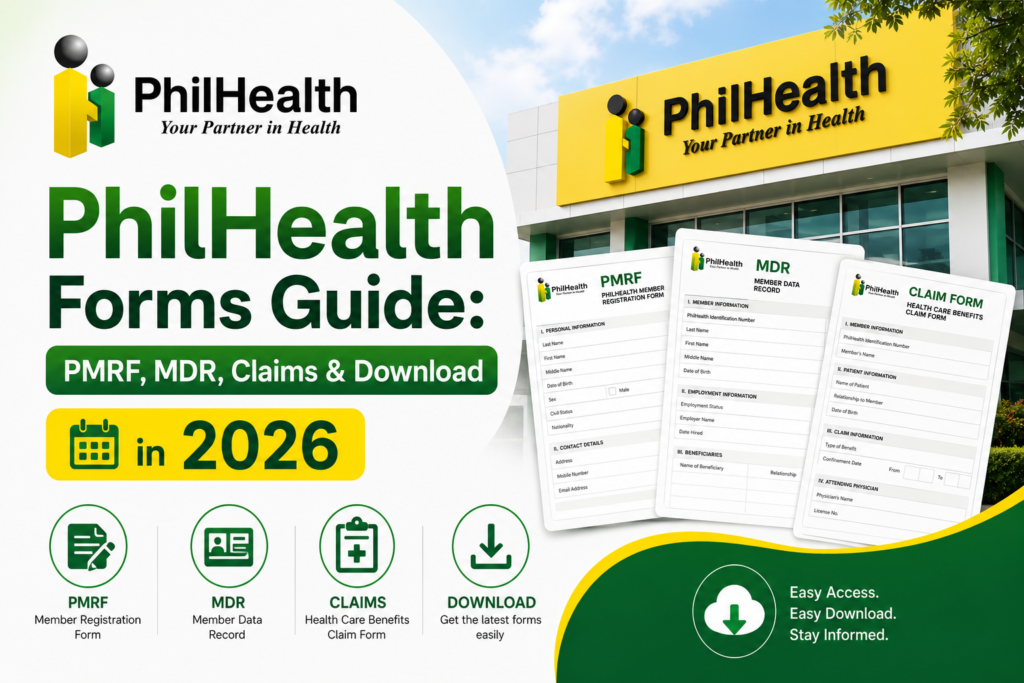
The most commonly used PhilHealth forms include the PMRF for new member enrollment, the Member Data Record for membership verification, PhilHealth Claim Forms for benefit availment, and various update forms for changes in personal circumstances. This guide covers each major form category, who needs them, and exactly how to complete and submit them.
PMRF: PhilHealth Member Registration Form
The PhilHealth Member Registration Form (PMRF) is the foundational document of your PhilHealth membership. Every new member must accomplish this form to enroll in the National Health Insurance Program. The PMRF captures your complete personal information — full name, date of birth, place of birth, gender, civil status, contact details, and your membership category. You also declare your qualified dependents on this form.
The PMRF is used by all member types: employees being registered by their company HR, self-employed individuals, voluntary members, OFWs, and sponsored members. You can download the latest PMRF from the official PhilHealth website’s Downloads section. For step-by-step registration guidance, visit our PhilHealth online registration page and our dedicated PhilHealth PMRF guide.
MDR: Member Data Record
The Member Data Record (MDR) is not a form you complete — it is an official document generated by PhilHealth that summarizes your membership profile. Think of it as your PhilHealth certificate. The MDR displays your full name, PhilHealth Identification Number (PIN), membership type and status, list of declared dependents, and a summary of your recent contribution payments.
You can instantly download your MDR through the PhilHealth Member Portal after logging in. Hospitals request this document during admissions to verify your eligibility for PhilHealth benefits. Employers also commonly ask for an updated MDR as proof of active membership. For a deeper dive, read our complete PhilHealth MDR guide.
PhilHealth Claim Forms for Benefits
When you or a dependent is hospitalized or undergoes an accredited outpatient procedure, PhilHealth Claim Forms must be accomplished to process your benefit deduction. These forms are typically provided by the hospital’s billing or admissions department. You need to sign portions of the claim form to authorize PhilHealth to apply the case rate benefit to your bill.
The claim form documents the patient’s diagnosis, the procedures performed, and the attending physician’s certification. It serves as the official request for PhilHealth to pay its share of the medical costs directly to the healthcare provider. The hospital usually handles the bulk of the claim form preparation; your role as the member is to provide accurate information and sign where required.
Forms for Updating Member Information
Life changes, and your PhilHealth records must reflect those changes. PhilHealth provides member update forms for modifying personal information that has changed since your original registration. These update PhilHealth forms cover common life events such as marriage, adding a newborn dependent, correcting a misspelled name, or updating your contact details and mailing address.
Updates can sometimes be done through the PhilHealth Member Portal for minor changes like phone numbers or addresses. Major changes — such as name corrections or civil status updates — require a formal update form accompanied by legal supporting documents. Always use the latest version of the update form from the official PhilHealth website.
How to Add Dependents Using PhilHealth Forms
Adding qualified dependents — spouse, children under 21, or dependent parents over 60 — requires submitting a membership update form to PhilHealth. You will need to provide the dependent’s full name, date of birth, and relationship to you. The form must be accompanied by supporting documents: a marriage certificate for a spouse, a birth certificate for a child, or proof of dependency for elderly parents.
Some dependent additions can be initiated through the PhilHealth Member Portal, but major additions may still require physical form submission at a PhilHealth branch. Once processed, the new dependent will appear on your updated Member Data Record.
Changing Civil Status on PhilHealth Records
When you get married, annulled, or widowed, your civil status change must be reflected in your PhilHealth membership records. This requires a specific update form and a certified true copy of your marriage certificate, court decree of annulment, or death certificate of a spouse. The civil status change is important because it affects your dependent declarations and your PhilHealth ID records. For information on PhilHealth identification documents, see our PhilHealth ID page.
Correcting Personal Details on PhilHealth Forms
If your name is misspelled, your date of birth is incorrect, or your gender is wrongly recorded in PhilHealth’s database, you must file a correction request using the appropriate update form. Supporting legal documents are mandatory — a birth certificate for name or date of birth corrections, and a valid government ID reflecting the correct information. PhilHealth takes data integrity seriously, so corrections undergo verification before being approved.
PhilHealth Forms for Employed Members
For employed members, the most common PhilHealth forms are the PMRF for initial registration, the MDR for membership verification, and the PhilHealth Claim Form for hospitalization benefits. Most employed members have their initial PMRF processed through their employer’s Human Resources department. Contribution remittance is handled by the employer using employer reporting forms. Employees should regularly check their contribution records through the PhilHealth Member Portal to ensure their employer is properly reporting and remitting premiums.
PhilHealth Forms for Self-Employed Members
Self-employed individuals and freelancers use the PMRF for initial registration, declaring themselves as self-earning individuals. They also use the member update form for any profile changes and the claim form when availing of PhilHealth benefits. Since self-employed members pay their own contributions, they must also be familiar with payment-related forms and the Statement of Premium Account generation available through the portal.
PhilHealth Forms for OFWs
Overseas Filipino Workers use the standard PMRF but indicate OFW as their membership category. They must attach a copy of their valid passport, overseas employment certificate or contract, and another valid ID. OFWs can submit their registration forms at PhilHealth offices in the Philippines, through accredited partner agencies, or online. Annual contribution payments are documented through the PhilHealth Member Portal.
PhilHealth Forms for Senior Citizens
Senior citizens who are automatically covered as lifetime members under Republic Act No. 11223 may still need to accomplish update forms to ensure their MDR reflects their senior status. They should present their Senior Citizen ID or OSCA ID along with a valid government ID. If a senior citizen has never been registered with PhilHealth, they will need to complete a PMRF for initial enrollment to secure a PhilHealth Identification Number.
Required Supporting Documents for PhilHealth Forms
Almost every PhilHealth form requires supporting documents to validate the information you provide. Here is a general list of commonly required documents:
- Valid government-issued ID: UMID, passport, driver’s license, national ID, or any primary ID accepted by PhilHealth.
- Birth certificate: For dependent additions, name corrections, or date of birth updates.
- Marriage certificate: For civil status updates, spouse dependent declarations.
- Proof of income: For self-employed and voluntary members — business permit, certificate of engagement, or income tax return.
- Overseas employment documents: For OFWs — valid passport, OEC, or employment contract.
Always bring original documents and photocopies when submitting forms at a PhilHealth branch. For online submissions, clear scanned copies in PDF or JPG format are accepted.
How to Download PhilHealth Forms Safely
Always download PhilHealth forms from the official PhilHealth website. Navigate to the “Downloads” or “Forms” section. Look for the specific form you need. Ensure you are downloading the latest version — check the revision date usually printed at the bottom of the form. Avoid third-party websites that may host outdated or modified versions of PhilHealth forms. Using unofficial forms can result in your application or claim being rejected.
How to Fill Out PhilHealth Forms Correctly
Step 1: Download the Correct Form
Visit the official PhilHealth website and download the latest PDF version of the form you need.
Step 2: Read All Instructions First
Before writing anything, read the form’s instructions carefully. Note which sections are required and which are optional.
Step 3: Fill Out Legibly
Complete the form digitally using a PDF editor, or print it and use black ink. Write clearly in capital letters if filling out by hand.
Step 4: Match Your ID Exactly
Your full name, date of birth, and other personal details must match exactly what appears on your valid government ID.
Step 5: Double-Check Before Submitting
Review every field. A single unchecked box or missing signature can cause processing delays. Keep a copy for your records.
Common Mistakes When Completing PhilHealth Forms
- Name mismatches: Writing “Maria” when your ID says “Ma.” will cause a discrepancy rejection.
- Illegible handwriting: If the processor cannot read your writing, the form will be returned to you.
- Missing signatures: Unsigned forms are invalid and will not be processed.
- Outdated form versions: Always use the latest revision from the official PhilHealth website.
- Incomplete dependent information: Missing a dependent’s birth date or failing to attach the birth certificate delays processing.
Where to Submit Completed PhilHealth Forms
Completed PhilHealth forms can be submitted through several channels. For online transactions, upload scanned forms and documents through the PhilHealth online registration system or the PhilHealth Member Portal. For physical submissions, visit any PhilHealth branch near you. Employed members may submit registration forms through their company’s HR department. Claim forms are processed directly at the hospital where you received treatment.
How Long PhilHealth Form Processing May Take
Processing times vary. Online PMRF submissions may be processed within hours to 3 working days. Physical submissions at PhilHealth branches are often processed on the same day if documents are complete. Claim forms filed at hospitals are typically settled upon discharge. Membership update requests involving verification of legal documents (like civil status changes) may take 5 to 10 working days. Always submit complete requirements to minimize delays.
PhilHealth Forms Comparison Table
| Form Name | Purpose | Who Uses It | Where to Submit |
|---|---|---|---|
| PMRF | New member registration | All new members | Online, branch, employer |
| MDR | Membership verification record | All registered members | Download via Member Portal |
| Claim Form | Benefit availment for confinement | Hospitalized members | Hospital billing section |
| Update Form | Membership information changes | Existing members with changes | Online or branch |
Frequently Asked Questions About PhilHealth Forms
Where can I download official PhilHealth forms?
All official PhilHealth forms are available on the official PhilHealth website under the “Downloads” or “Forms” section. Never download forms from unofficial third-party websites, as they may be outdated or modified, leading to application rejection.
Can I fill out PhilHealth forms online?
Yes. Many PhilHealth forms can be completed digitally using a PDF editor and submitted online through the PhilHealth online registration portal or the Member Portal. You can also print forms and fill them out by hand before scanning and uploading.
What is the difference between PMRF and MDR?
The PMRF is a registration form you fill out to become a member. The MDR is a record PhilHealth generates after you are registered, summarizing your membership details and contribution history. You fill out the PMRF; you request or download the MDR.
How do I correct a mistake on a submitted PhilHealth form?
If you discover an error after submission, file a membership update or correction form at a PhilHealth branch or through the portal if the option is available. Attach supporting documents proving the correct information.
Do I need to submit a new PMRF if I change jobs?
No, your PhilHealth PIN remains the same for life. You do not need a new PMRF when changing employers. Your new employer will use your existing PIN to report and remit contributions.
Can I get PhilHealth forms at any branch?
Yes, PhilHealth forms are available at all PhilHealth branches and local health insurance offices. You can pick up blank forms, fill them out, and submit them on the same visit.
Key Takeaways About PhilHealth Forms
- The PMRF is the primary form for new member registration; the MDR is your official membership record document.
- Always download the latest PhilHealth forms from the official PhilHealth website to avoid using outdated versions.
- Complete forms legibly and ensure your name matches your valid government ID exactly to prevent processing delays.
- Major membership changes — like civil status, name corrections, or dependent additions — require supporting legal documents.
- PhilHealth forms and procedures may change. Always verify current requirements through the official PhilHealth website at www.philhealth.gov.ph or at a PhilHealth branch.
Image Recommendations for This Article
- Filename: philhealth-forms-pmrf-mdr-claims-overview.jpg
ALT: Overview of major PhilHealth forms including PMRF, Member Data Record, and claim forms.
Title: PhilHealth Forms Overview
Caption: The most commonly used PhilHealth forms for registration, verification, and claims. - Filename: downloading-philhealth-forms-official-website.jpg
ALT: User downloading PhilHealth forms from the official PhilHealth website downloads section.
Title: Download PhilHealth Forms
Caption: Always download PhilHealth forms from the official website to ensure the latest version. - Filename: filling-out-pmrf-correctly-sample.jpg
ALT: Sample PhilHealth PMRF form correctly filled out with personal information and dependent details.
Title: How to Fill Out PMRF
Caption: A correctly completed PhilHealth Member Registration Form (PMRF) sample. - Filename: philhealth-member-data-record-sample.jpg
ALT: Sample PhilHealth Member Data Record showing membership details and contribution summary.
Title: PhilHealth MDR Sample
Caption: The Member Data Record is an official document generated by PhilHealth, not a form you fill out.
Disclaimer
This website (philhealth-portal.ph) is an independent informational resource and is not affiliated with PhilHealth, the Philippine Health Insurance Corporation, or the Philippine Government. Form names, versions, requirements, and processing procedures are subject to change. This guide provides general information based on publicly available PhilHealth resources. Always download the latest PhilHealth forms and verify current procedures through the official PhilHealth website at www.philhealth.gov.ph.
Need More Help?
Explore our comprehensive PhilHealth Online Registration Guide for step-by-step instructions.
View Registration Guide →