Quick Summary
- Who this guide is for: Filipino citizens, OFWs, and foreigners seeking PhilHealth membership or updates.
- Important Notes: Always prepare valid IDs and correct forms before proceeding.
- Estimated Time: 38 minutes for reading and preparation.
PhilHealth, formally known as the Philippine Health Insurance Corporation, is a government-owned and controlled corporation established to administer the National Health Insurance Program. Under Republic Act No. 11223 — the Universal Health Care Act signed into law in 2019 — every Filipino citizen is automatically enrolled and required to be a member. This mandate exists because healthcare costs are the single biggest cause of financial ruin for Filipino families. A single hospitalization without insurance can wipe out years of savings. By pooling contributions from all members, PhilHealth creates a fund that pays a substantial portion of medical expenses when any member gets sick or needs treatment. Your monthly contributions are not just a deduction — they are your share in a national safety net that covers over 100 million Filipinos. Even if you are healthy today, membership guarantees that when an unexpected illness or accident happens, a significant part of your hospital bill is covered automatically.
Pro Tip: Think of PhilHealth not as an expense, but as mandatory health savings that activates precisely when you need it most. Even if you have private health insurance, PhilHealth serves as your primary coverage and reduces your out-of-pocket costs.
Your PhilHealth membership category is determined by your employment and income status. The Universal Health Care Act divides all members into two broad classifications: Direct Contributors and Indirect Contributors. Direct Contributors are those who have the capacity to pay premiums — this includes private and government employees, self-employed individuals, freelancers, voluntary members, and Overseas Filipino Workers. Indirect Contributors are those whose premiums are fully subsidized by the government — this includes indigent families identified by the DSWD, 4Ps beneficiaries, senior citizens not gainfully employed, and persons with disabilities. If you receive a monthly salary and your employer deducts PhilHealth, you are an Employed Member. If you run your own business or work as a freelancer, you are a Self-Earning Individual. If you left employment but want to continue coverage, you become a Voluntary Member. If you work abroad, you are classified as an OFW member. The category matters because it determines how much you pay and who remits the premium.
Pro Tip: Your membership category is not permanent. If you change jobs, move abroad, or retire, update your category immediately through the Member Portal or at a PhilHealth branch to avoid contribution gaps that could block future benefit claims.
Your PhilHealth Identification Number (PIN) is a unique 12-digit code assigned to you when you first register as a PhilHealth member. This number is permanent — it never changes, even if you switch employers, move abroad, change your civil status, or shift membership categories. The PIN is the primary key to your entire PhilHealth record. Every contribution payment, benefit claim, dependent declaration, and membership update is linked to this number. Hospitals use your PIN to verify your eligibility during admissions. Employers use it to remit your monthly premiums. You use it to log in to the PhilHealth Member Portal and access your Member Data Record. Losing or forgetting your PIN can delay hospital admissions and benefit claims because the system cannot locate your record without it. If you have multiple PINs due to accidental duplicate registration, you must visit a PhilHealth branch to request a membership merge, as multiple records can cause claim rejections.
Pro Tip: Memorize your PIN or store it securely in your phone’s notes app and a password manager. Share it with a trusted family member who might need to facilitate hospital admissions on your behalf during emergencies.
The Member Data Record (MDR) is an official document generated by PhilHealth that summarizes your entire membership profile in one or two pages. It displays your full name, PhilHealth PIN, membership type and current status, complete list of declared qualified dependents, and a chronological summary of your recent contribution payments. The MDR is what hospitals and employers request as proof of active PhilHealth membership. You can obtain your MDR in two ways. The fastest method is downloading it yourself through the PhilHealth Member Portal — log in, click on the Member Data Record tab, and save the PDF to your device. This service is free and available 24/7. The second method is requesting it in person at any PhilHealth branch. Some members also receive an updated MDR from their employer’s HR department. Unlike the PMRF which you fill out, the MDR is a system-generated document — you cannot edit it yourself. If any information on your MDR is incorrect, you must file a membership update request with supporting documents.
Pro Tip: Download a fresh MDR every quarter and save it on your phone. During emergency hospital admissions at 2 AM, having a recent MDR readily available can significantly speed up your admission processing and PhilHealth benefit application.
The PhilHealth Member Registration Form (PMRF) is the foundational enrollment document for the National Health Insurance Program. Every Filipino who registers with PhilHealth for the first time must accomplish this form. It captures your complete personal information — full name, date and place of birth, gender, civil status, contact details, and residential address. Most importantly, it records your membership category and your declared qualified dependents. You need the PMRF when you are registering as a new member regardless of whether you are an employee, self-employed, OFW, voluntary member, or sponsored member. Even if your employer processes your registration, the HR department will ask you to fill out a PMRF. The form is available for download on the official PhilHealth website, at any PhilHealth branch, and sometimes through employer HR offices. The PMRF must be filled out accurately because the information you provide becomes your permanent PhilHealth record. Errors on the PMRF — misspelled names, wrong birthdates, undeclared dependents — can cause problems for years until corrected.
Pro Tip: Before filling out the PMRF, have your valid government ID beside you. Copy your name exactly as it appears on the ID — including middle names, suffixes like Jr. or III, and even the punctuation. A single mismatch can cause registration delays or future claim rejections.
Creating a PhilHealth Member Portal account is a one-time process that links your existing PhilHealth PIN to an online profile. First, go to the official PhilHealth website and click on the Member Portal link. Select “Register” or “Create an Account.” You will be asked to provide your 12-digit PhilHealth PIN, your last name exactly as it appears on your PhilHealth records, your date of birth, and a valid email address that you actively use. Create a strong password that includes uppercase and lowercase letters, numbers, and a special character. After submitting, PhilHealth sends a verification link to your email inbox. You must click this link within the validity period to activate your account. Check your spam or promotions folder if the email does not arrive within five minutes. Once verified, return to the portal and log in using your PIN and new password. Your dashboard will display your membership status and give you access to your MDR, contribution history, and payment options.
Pro Tip: Use a personal email address — not your work email — to register. If you change jobs and lose access to your work email, you will be locked out of password recovery. A Gmail or Yahoo address you will keep for years is ideal.
PhilHealth accepts a range of primary government-issued identification documents for registration and all other transactions. The most commonly accepted IDs include the Philippine National ID (PhilSys), Unified Multi-Purpose ID (UMID), Philippine passport, driver’s license, Professional Regulation Commission (PRC) ID, Social Security System (SSS) ID, Government Service Insurance System (GSIS) eCard, Senior Citizen ID, Overseas Workers Welfare Administration (OWWA) ID, and the voter’s ID or voter’s certification. The critical requirements are that the ID must be valid and not expired, must bear your full name and a recognizable photograph, and the name on the ID must match exactly with the name you use on PhilHealth forms. Secondary IDs such as a company ID, school ID, or barangay certification may be accepted only when accompanied by a primary ID or supporting documents like a birth certificate from the Philippine Statistics Authority. For online transactions, clear scanned copies or photos of these IDs are accepted in PDF or JPG format, provided all details are legible.
Pro Tip: If you do not yet have a primary government ID, prioritize getting the Philippine National ID (PhilSys). It is free, widely accepted everywhere including PhilHealth, and the registration process is available at malls and government centers nationwide.
Under the Universal Health Care Act, the PhilHealth premium rate is set as a percentage of the member’s monthly basic salary. The contribution applies within a salary floor and a salary ceiling that serve as the minimum and maximum income bases for computation. If your actual salary is below the floor, your contribution is computed as if you earn the floor amount. If your salary exceeds the ceiling, your contribution is capped at the ceiling amount. For employed members in the private and government sectors, the total premium is shared equally between employer and employee. Self-employed individuals, voluntary members, and OFWs pay the full premium themselves since they have no employer to share the cost. Kasambahay contributions follow a specific sharing ratio favorable to the household worker. Senior citizens who are not employed and sponsored indigent members do not pay premiums — their coverage is fully subsidized by the national government. The exact current premium rate and salary brackets are published in the official PhilHealth Contribution Table, which is updated through PhilHealth circulars.
Pro Tip: Do not rely on memory or word-of-mouth for contribution rates. Always refer to the latest official PhilHealth Contribution Table on the PhilHealth website. Rates are periodically adjusted, and paying based on outdated information can result in underpayment and inactive status.
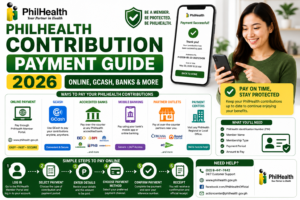
Self-employed individuals and voluntary members have full control — and full responsibility — over their PhilHealth contribution payments. You can pay through multiple channels. The most convenient method is through the PhilHealth Member Portal: log in, navigate to the payment section, generate your Statement of Premium Account for your desired coverage period, and pay directly through integrated gateways like GCash, Maya, or partner banks. Alternatively, you can pay over the counter at any PhilHealth branch, accredited banks, Bayad Centers, SM Bills Payment counters, and other authorized collecting agents. OFWs can pay through designated remittance partners abroad. You can choose to pay monthly, quarterly, semi-annually, or annually — quarterly payments are the most practical for staying current without the burden of a large annual lump sum. Always keep your official receipt or digital transaction confirmation. After payment, log back into the portal within a few days to verify the payment is posted in your contribution history.
Pro Tip: Set a recurring calendar reminder every three months to pay your contributions. Missing even one quarter can make your membership inactive and block benefit claims. If you miss a payment, settle it as soon as possible to restore active status.
An active PhilHealth membership unlocks a comprehensive package of health insurance benefits designed to reduce your medical expenses across a wide range of healthcare needs. The core benefits include inpatient hospital care with case rate deductions for room and board, drugs, laboratory tests, operating room fees, and professional fees. Outpatient benefits cover day surgeries, chemotherapy, radiotherapy, and hemodialysis — with up to 156 sessions covered annually for chronic kidney disease patients. Maternity care covers normal delivery, cesarean section, miscarriage management, and newborn screening. The Z Benefits package addresses catastrophic illnesses like specific cancers, coronary artery bypass graft surgery, and kidney transplantation with enhanced financial coverage. Primary care benefits through the Konsulta program provide free regular check-ups, vaccinations, and preventive health assessments. Mental health services, TB DOTS therapy, and HIV/AIDS treatment packages are also covered. Your qualified dependents enjoy identical benefits under your membership, sharing the same annual 45-day room and board limit.
Pro Tip: Many members only think of PhilHealth during hospitalization. But your benefits also include preventive outpatient services. Register with a Konsulta provider to access free regular check-ups that can catch health problems before they require expensive hospital treatment.
The PhilHealth case rate system is a fixed payment mechanism. For every specific illness, medical condition, or surgical procedure, PhilHealth has assigned a predetermined peso amount that it will pay directly to the accredited hospital. When you are admitted and file a claim, the hospital deducts this fixed case rate amount from your total bill. The case rate covers a bundled set of services: room and board, drugs and medicines used during confinement, laboratory and diagnostic examinations, operating room fees, and professional fees of the attending accredited physician. The case rate amount varies depending on the severity of the condition and the type of procedure. For example, the case rate for dengue fever is different from the case rate for a cesarean section. It is important to understand that the case rate may not cover 100% of your total bill — any amount exceeding the case rate becomes your personal responsibility. Additionally, PhilHealth imposes a 45-day annual limit on room and board coverage per calendar year. Once this limit is reached, room and board charges are no longer covered for that year, though other components of the benefit remain.
Pro Tip: Before a planned surgery or procedure, ask the hospital billing section for an estimate of the PhilHealth case rate deduction for your specific case. This allows you to financially prepare for the remaining balance you will need to pay out of pocket.
PhilHealth claim denials are frustrating but often preventable. The single most common reason is insufficient contributions — you must have at least three months of premium payments within the six-month period immediately before the month of your confinement. If you or your employer missed payments, your claim will be denied. The second most common reason is inactive membership status. Even if you have a PIN, lapsed contributions suspend your eligibility. Third is exceeding the 45-day annual room and board limit. Fourth is receiving treatment at a non-accredited facility for a non-emergency situation. Fifth is name discrepancies — if the name on your claim form does not match your PhilHealth records exactly, the system may reject the claim. Other reasons include unsigned claim forms, missing physician accreditation, incomplete documentation for dependent claims, and failure to declare membership upon admission rather than at discharge. The good news is that many denied claims can be corrected and resubmitted if you act promptly and understand the specific reason for denial.
Pro Tip: Upon hospital admission, triple-check that your name on the claim form matches your government ID letter-for-letter. This one small step prevents the most easily avoidable cause of claim denial.
The 45-day limit is one of the most misunderstood aspects of PhilHealth coverage. It applies specifically to the room and board component of your inpatient benefits per calendar year. This means PhilHealth will cover hospital room and board charges for a maximum of 45 days total across all your confinements within a single year. Once you reach this threshold, PhilHealth no longer pays for your room and board for the remainder of that calendar year. However — and this is crucial — other components of your benefits continue. The drugs, medicines, laboratory tests, operating room fees, and professional fees are still covered by the applicable case rates even after you exhaust the 45-day room and board limit. The 45-day limit resets every January 1. The limit applies per member, meaning you and each of your qualified dependents have your own separate 45-day allocation. If you have multiple short confinements in one year, track the cumulative days to anticipate when the room and board coverage might run out.
Pro Tip: Keep a simple log of hospital confinement days for yourself and each dependent throughout the calendar year. If you are approaching the 45-day limit, discuss with your doctor whether any planned elective procedures can be safely scheduled for the following January when the limit resets.
Filing a PhilHealth claim correctly begins at the hospital admissions desk — not at discharge. Here is the complete step-by-step process. Step 1: Upon arrival at the hospital, tell the admissions or billing officer immediately that you are a PhilHealth member and want to avail of your benefits. Step 2: Present your PhilHealth ID card or a printed copy of your Member Data Record, along with one valid government-issued ID. Step 3: If you are claiming for a dependent, present the required proof of relationship document — a marriage certificate for a spouse or a birth certificate for a child. Step 4: The hospital billing staff will provide the PhilHealth Claim Form. Review all details carefully: your name, PIN, diagnosis, and attending physician information. Sign the form to authorize the claim. Step 5: The hospital’s PhilHealth section electronically transmits your claim for real-time eligibility verification. Step 6: Upon discharge, review your final billing statement. The PhilHealth case rate deduction should be reflected, and you pay only the remaining balance.
Pro Tip: Take a clear photo of the signed claim form and your final hospital bill showing the PhilHealth deduction. These serve as your personal records in case any discrepancies arise later regarding your contribution history or benefit usage.
Yes, but the process changes significantly. This is called a direct reimbursement claim. It applies when, for whatever reason, the PhilHealth benefit was not deducted at the hospital upon discharge and you paid the entire bill out of pocket. To file for reimbursement, you must personally visit a PhilHealth branch with a complete set of documents: the original official receipts of payment, the final hospital billing statement, a medical abstract or clinical summary, the accomplished PhilHealth Claim Form (signed by you and the attending physician), your PhilHealth ID or MDR, and a valid government ID. If the claim is for a dependent, include the proof of relationship. The PhilHealth branch will review all documents manually. Reimbursement claims take longer than hospital-filed claims because each submission undergoes detailed verification. There is also no guarantee of full reimbursement — PhilHealth will only reimburse up to the applicable case rate amount for your specific condition, not necessarily your total expenditure. This is why it is always strongly recommended to file your claim upon hospital admission rather than pursuing reimbursement afterward.
Pro Tip: If the hospital tells you at discharge that they cannot process your PhilHealth claim, ask for the specific reason in writing before paying your bill. This documentation helps when you follow up with PhilHealth and may identify errors that can be corrected on the spot.
Adding a qualified dependent to your PhilHealth membership requires a membership update transaction. You can initiate this through the PhilHealth Member Portal if the feature is available, or by visiting any PhilHealth branch. For a newborn baby, you need the child’s birth certificate from the Philippine Statistics Authority. The baby is covered from the moment of birth, provided your contributions as the principal member are current. For a newly married spouse, you need your marriage certificate. Note that a spouse can only be declared as a dependent if they are not currently employed and not themselves a paying PhilHealth member. For dependent parents over 60, you need your own birth certificate proving the relationship, the parent’s birth certificate, and proof of financial dependency. Submit the accomplished membership update form along with these supporting documents. Processing may take several working days. Once approved, the new dependent will appear on your updated Member Data Record. Dependents share your benefits and your 45-day annual room and board limit.
Pro Tip: Do not wait for a medical emergency to add your dependents. Register them as soon as the life event occurs — marriage, childbirth, or a parent moving in with you. An unregistered dependent cannot claim benefits, regardless of how valid the relationship is.
Losing your PhilHealth Identification Number is stressful but recoverable. The fastest method is through the PhilHealth Member Portal. On the login page, click “Forgot PIN” and enter your full name and date of birth exactly as registered with PhilHealth. If the information matches the database, your PIN will be displayed or sent to your registered email address. If you cannot recover it online — perhaps because your name or birthdate in the system does not match what you are entering — you need to visit a PhilHealth branch in person. Bring at least one valid government ID. The PhilHealth officer can search for your PIN using your full name and birthdate. If you have an old PhilHealth ID card, an old MDR printout, or any previous PhilHealth correspondence, bring those as they may contain your PIN. In cases where you discover you have been accidentally issued two PINs from duplicate registrations, you must request a membership merge at the branch. Never share your PIN publicly or store it where others can easily access it.
Pro Tip: Once you recover your PIN, save it in multiple secure places — your phone’s notes app, a password manager, and share it with a trusted family member. Also download your MDR immediately, which prominently displays your PIN, and keep both digital and printed copies.
When you leave formal employment, your PhilHealth membership does not end — but your contribution responsibility shifts. Your PhilHealth PIN remains the same for life. However, since your employer will no longer deduct and remit your share of the premium, the responsibility falls entirely on you to continue payments and keep your membership active. If you simply stop paying, your status will eventually become inactive, and you and your dependents will not be able to claim benefits when needed. To prevent this, you should immediately update your membership category from “Employed” to “Voluntary Member.” This can be done through the Member Portal or at a PhilHealth branch. As a voluntary member, you pay the full premium yourself. You can pay quarterly or annually. If you find new employment, your new employer will resume deducting and remitting contributions under your existing PIN. The transition period between jobs is the most common time for contribution gaps to occur — be proactive about maintaining payments during this window.
Pro Tip: On your last day of employment, ask your HR department for a copy of your latest PhilHealth contribution remittance report. Then log into the Member Portal within a week to verify the final payment was posted. Immediately set up your voluntary payment schedule to avoid any gap.
Yes. Overseas Filipino Workers are classified as Direct Contributors and are required to maintain active PhilHealth membership. OFWs can complete their initial registration entirely online through the PhilHealth online registration portal by submitting a digital PMRF along with scanned copies of their valid Philippine passport and overseas employment certificate or contract. For contribution payments, OFWs typically pay annually for convenience. Payments can be made through the PhilHealth Member Portal using integrated payment gateways accessible from abroad, through accredited Philippine banks with international banking capabilities, or at designated remittance centers and Philippine embassies that offer PhilHealth services. Some OFW organizations and recruitment agencies also facilitate bulk PhilHealth registration and payment processing. The annual contribution follows the same premium rate computation applied to the OFW’s declared income, subject to the salary floor and ceiling. An active PhilHealth membership ensures the OFW’s qualified dependents in the Philippines can access benefits while the OFW is working overseas.
Pro Tip: OFWs should download a fresh MDR after each annual payment and send a copy to their family in the Philippines. In an emergency, family members can present this MDR at the hospital even while the OFW is abroad, ensuring dependents receive the PhilHealth benefit deduction without delay.
Under the Universal Health Care Act, all Filipino senior citizens aged 60 and above who are not currently gainfully employed are automatically covered as lifetime PhilHealth members without paying any premiums. Their coverage is fully subsidized by the national government. To access benefits, a senior citizen must ensure their PhilHealth membership record is updated to reflect their lifetime member status. If they have never been registered, they can complete a PMRF and present their Senior Citizen ID or OSCA ID at a PhilHealth branch or through online registration. If they were previously employed and already have a PIN, they simply need to update their record to reflect their change to lifetime member status. When hospitalized, senior citizens benefit from two deductions: first, the mandatory 20% senior citizen discount under the Expanded Senior Citizens Act, and second, the PhilHealth case rate benefit. These are applied consecutively, significantly reducing the final hospital bill. Senior citizens who are still employed continue to have their PhilHealth contributions deducted from their salary by their employer.
Pro Tip: Many senior citizens are unaware they are already covered. If you have elderly parents, help them download their MDR from the Member Portal or visit a PhilHealth branch to verify their lifetime member status before any health issue arises.
Employer non-remittance of PhilHealth contributions is a serious problem because it directly affects your ability to claim benefits, even though the deductions appear on your payslip. The first step is to verify independently. Log into the PhilHealth Member Portal and check your contribution history. Compare the posted payments against your payslip deductions over the same period. If you see missing months, gather your payslips as evidence. Approach your employer’s Human Resources or Payroll department in writing — send an email so there is a documented trail — and ask for an explanation and immediate rectification. Many cases are due to administrative delays rather than intentional non-remittance. If your employer does not resolve the issue within a reasonable timeframe, you can file a formal complaint with PhilHealth. PhilHealth has enforcement mechanisms and can investigate and penalize erring employers. Under the National Health Insurance Act, employers are legally obligated to remit contributions accurately and on time. Do not ignore missing contributions — if you need to claim benefits during a period when payments were not remitted, your claim will be denied regardless of whose fault it was.
Pro Tip: Make it a habit to check your PhilHealth contribution history online every quarter, just as you would check your bank account. The sooner you catch a missing remittance, the easier it is to resolve with your employer before it affects a benefit claim.
These three documents serve completely different purposes in your PhilHealth journey. The PMRF (PhilHealth Member Registration Form) is the enrollment application — you fill it out when you first register as a member. It captures your personal information and membership category and is submitted once, though you may submit updates if your information changes. The MDR (Member Data Record) is a system-generated summary document — you do not fill it out. PhilHealth produces it based on your records, and you simply download or request it. It serves as proof of your current membership status and is what hospitals and employers ask for. The PhilHealth Claim Form is a transactional document used during a specific medical event. The hospital provides it, and you sign it to authorize PhilHealth to deduct the case rate benefit from your bill for that specific confinement or procedure. Each claim form is tied to one medical event. Understanding these distinctions prevents confusion: PMRF is for registration, MDR is for verification, and the Claim Form is for benefit availment.
Pro Tip: Keep a folder — physical or digital — containing your latest MDR and a blank copy of the PMRF. Update the MDR quarterly. Having these ready eliminates scrambling for documents during medical emergencies or job applications.
The official PhilHealth Member Portal employs standard government digital security measures including data encryption and secure HTTPS connections to protect member information during transmission. However, member vigilance is equally important because phishing scams targeting PhilHealth members have been reported. To protect your account, always manually type the official PhilHealth website address into your browser — never click links from unsolicited emails or text messages claiming to be from PhilHealth. Verify the URL displays the padlock icon and the correct government domain before entering your credentials. Create a strong, unique password for your portal account that you do not reuse on other websites. Never share your password or PIN with anyone, including people claiming to be PhilHealth agents over the phone. PhilHealth will never call, text, or email you asking for your password. After logging in on a shared or public computer, always click the logout button. Regularly check your contribution history for unauthorized changes. If you suspect your account has been compromised, change your password immediately and contact PhilHealth.
Pro Tip: Enable two-factor authentication on your email account that is linked to your PhilHealth portal. Even if someone obtains your portal password, they cannot access the password reset link without access to your secured email.
The PhilHealth Konsulta program — formally called Konsultasyong Sulit at Tama — is the primary care benefit package under the Universal Health Care Act. It provides members with free regular health consultations, health risk assessments, basic laboratory tests, and prescribed medications dispensed at the primary care level. The goal is preventive healthcare: catching diseases early and managing chronic conditions before they require expensive hospital treatment. Every member is encouraged to register with a PhilHealth-accredited Konsulta provider — a public health center, rural health unit, or accredited private clinic near their residence. To register, log into the PhilHealth Member Portal and look for the primary care or Konsulta section. Select from the list of accredited providers in your area. Once registered, you can schedule check-ups and receive primary care services at no additional cost beyond your regular PhilHealth contributions. This benefit is available to all membership categories, including sponsored members and dependents.
Pro Tip: Register your entire family with the same Konsulta provider if possible. This creates a family medical home where your health history is centralized, leading to better continuity of care and more personalized health advice from providers who know your family’s medical background.
PhilHealth Z Benefits are enhanced, comprehensive health packages designed for catastrophic illnesses — conditions that are life-threatening and require prolonged, expensive treatment that could financially devastate a family even with standard PhilHealth coverage. The Z Benefits package provides substantially larger financial coverage than regular case rates. Covered conditions include specific types of cancer such as breast cancer, prostate cancer, cervical cancer, colorectal cancer, and childhood acute lymphocytic leukemia. Other covered catastrophic conditions include coronary artery bypass graft surgery, kidney transplantation, and other identified high-cost interventions. To qualify, patients must meet specific clinical criteria established by PhilHealth and must receive treatment at a PhilHealth-accredited Z Benefit contracted hospital — not all hospitals are Z Benefit providers. The Z Benefits package covers a defined treatment pathway, including diagnostics, surgery, chemotherapy or radiotherapy where applicable, and follow-up care. The application process is more detailed than standard claims and requires thorough medical documentation.
Pro Tip: If you or a dependent is diagnosed with a condition that might qualify for Z Benefits, ask your doctor or the hospital’s PhilHealth officer directly whether Z Benefit coverage applies. Do not assume standard case rates are the maximum assistance available.
Major personal information changes in your PhilHealth record require a formal membership update transaction with supporting legal documents. For a change in civil status due to marriage, you need to submit a membership update form accompanied by a certified true copy of your marriage certificate from the Philippine Statistics Authority. Your PhilHealth record will be updated to reflect your married name, and you can then add your spouse as a qualified dependent. For correction of a misspelled name or wrong date of birth, you must submit an update form along with your birth certificate showing the correct information and a valid government ID reflecting the correct details. For changes due to annulment or widowhood, the court decree of annulment or the death certificate of the spouse is required. These transactions typically require physical submission at a PhilHealth branch because original documents must be presented for verification. Processing may take several working days. Minor updates like address or contact number changes can often be done online through the Member Portal without supporting documents.
Pro Tip: Before filing a name or status update with PhilHealth, ensure your government IDs have already been updated to reflect the change. PhilHealth will not update your name based on a marriage certificate alone if your valid IDs still show your maiden name.
Yes, the PhilHealth Member Portal is fully mobile-responsive and accessible through any modern smartphone browser. You do not need to download a separate app — simply open Google Chrome, Safari, or your preferred mobile browser and navigate to the official PhilHealth website. The portal interface automatically adjusts to fit your phone screen. You can log in, view your membership status, check your contribution history, generate your Statement of Premium Account, and download your Member Data Record as a PDF directly to your phone. Having your MDR saved on your phone means you can present it at a hospital admissions desk even if you did not bring a printed copy. You can also pay contributions through the portal using mobile payment options like GCash or Maya. The key is to ensure you have a stable internet connection and a PDF reader app installed to open and save your MDR. All features available on the desktop version are accessible on mobile.
Pro Tip: Save your downloaded MDR to your phone’s files app and also email a copy to yourself. During emergencies, you or a family member can quickly retrieve and show the MDR to hospital staff directly from your phone screen without needing to log into the portal under stress.
Verifying accreditation status before a planned medical procedure is one of the smartest steps a PhilHealth member can take. The most reliable method is to check the official PhilHealth website, which maintains and periodically updates a directory of accredited healthcare providers, hospitals, clinics, and professionals. You can also call the PhilHealth customer service hotline and inquire about a specific facility or physician. Alternatively, contact the hospital directly and ask their billing or PhilHealth section whether they are currently accredited and whether the specific doctor you plan to consult is an accredited physician. This matters because even if a hospital is accredited, if your attending physician is not individually accredited, the professional fee component of your claim may be affected. For emergencies, PhilHealth covers treatment even at non-accredited facilities if it was the nearest available hospital capable of handling the life-threatening condition. After stabilization, you may be transferred to an accredited facility. Elective procedures and planned surgeries, however, must be done at accredited institutions with accredited physicians for the claim to be valid.
Pro Tip: When scheduling a surgery or procedure, ask two questions at the hospital billing section: “Is this facility currently PhilHealth-accredited?” and “Is Dr. [Name] a PhilHealth-accredited physician?” Get confirmation in writing or via email before your admission date.
PhilHealth policies, benefit packages, contribution rates, and membership rules are periodically updated through official PhilHealth circulars. Significant policy shifts in recent years have included the implementation of the Universal Health Care Act’s provisions, the expansion of hemodialysis coverage, enhanced primary care benefits through the Konsulta program, and adjustments to contribution rates as mandated by law. The Z Benefits package has also been expanded to cover more catastrophic conditions. The shift toward digital services — including online registration, the Member Portal, and electronic claims processing — represents an ongoing modernization effort. Because policies do change, relying on information from a few years ago can lead to mistakes. The official PhilHealth website is the authoritative source for current policies. PhilHealth also issues press releases and posts updates on its verified social media accounts. Members should independently verify any policy information they receive from unofficial sources.
Pro Tip: Bookmark the official PhilHealth website and check the “News” or “Circulars” section quarterly. Alternatively, make it a habit to download your latest MDR every three months — if a policy change affects your membership category or contributions, it will often be reflected in your updated record.
Several persistent myths about PhilHealth lead members to make costly mistakes. Myth 1: “Once registered, I am covered for life without doing anything.” False — your coverage depends on continuous contributions or government subsidy. Lapsed payments mean inactive status and denied claims. Myth 2: “PhilHealth covers 100% of my hospital bill.” False — PhilHealth applies a fixed case rate deduction. Any amount exceeding that case rate is your responsibility. Myth 3: “My employer handles everything, I don’t need to check.” Dangerous assumption — you are ultimately responsible for verifying that contributions are actually remitted. Myth 4: “I can only claim benefits at government hospitals.” False — accredited private hospitals also process PhilHealth claims. Myth 5: “If I’m healthy, I don’t need to pay contributions.” Risky thinking — contributions are mandatory under the law, and you cannot predict when you will need coverage. Myth 6: “My dependents are automatically covered without being registered.” False — dependents must be formally declared and listed on your MDR to claim benefits.
Pro Tip: Treat your PhilHealth membership like you treat any other important financial account. Check it regularly, keep records updated, and never assume someone else is managing it correctly on your behalf.
Need More Help?
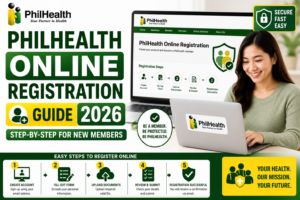
Explore our comprehensive PhilHealth Online Registration Guide for step-by-step instructions.
View Registration Guide →