PhilHealth Online Services Guide 2026

PhilHealth Portal: Online Registration, Login & MDR Guide 2026

Complete guide to the PhilHealth Member Portal in the Philippines. Learn how to complete PhilHealth online registration, access your MDR PhilHealth record, check your PhilHealth contribution, download the PMRF PhilHealth form, and understand your PhilHealth benefits — all in one place.

Updated August 29, 2026 Philippine Health Insurance Guide Free to read

What is the PhilHealth Portal?

The PhilHealth Portal (also known as the PhilHealth Member Portal) is the official online platform of the Philippine Health Insurance Corporation (PhilHealth). Through the portal, members can:

  • Complete PhilHealth online registration for new members
  • View and download their MDR (Member Data Record)
  • Check PhilHealth contributions and payment history
  • Generate a Statement of Premium Account (SPA)
  • Update PhilHealth member information online
  • Access PhilHealth benefits information

Official access: Always use www.philhealth.gov.ph for all PhilHealth transactions.

Verified August 29, 2026

How Much is PhilHealth Contribution in 2026?

The PhilHealth contribution 2026 rate is 5% of monthly basic salary:

  • Minimum contribution: ₱500/month (for ₱10,000 salary)
  • Maximum contribution: ₱5,000/month (for ₱100,000+ salary)
  • Employee share: 2.5% (matched by employer's 2.5%)
  • Self-employed/Voluntary: Full 5%
  • OFW contribution: Full 5%

This is the final rate under the Universal Health Care Act (RA 11223).

2026 rate schedule under RA 11223
Why This Resource

Why Use PhilHealth Portal Guides?

We translate dense government processes into simple, actionable steps — so you spend less time guessing and more time getting things done.

Plain English, No Jargon

Every guide avoids bureaucratic language and explains PhilHealth processes the way a helpful friend would.

Step-by-Step Screenshots

See exactly what each PhilHealth Portal screen looks like so you never wonder "what do I click next?"

Updated for 2026

Rates, rules and portal interfaces change — we track the latest PhilHealth circulars so you don't have to.

Free, No Sign-Up

Read any guide immediately — no email gate, no paywall, no required registration.

PhilHealth Blog

Latest PhilHealth Articles & Updates

New guides, updates and tips published regularly to keep you informed about PhilHealth changes.

PhilHealth Voluntary Member 2026: Registration, Payment & Benefits Phill-Health-Portal

PhilHealth Voluntary Member 2026: Registration, Payment & Benefits

Home › Voluntary Member Guide Membership Guide · 2026 Rates · Free PhilHealth Voluntary Member 2026: How to Register, Pay & Stay Covered Left your job? Freelancing? No employer? You can stay covered by becoming a PhilHealth voluntary member. This guide covers registration, contribution rates, payment schedule, and how to switch from employed to voluntary […]

Read more 1 week ago
PhilHealth Employer Guide 2026: Registration, Contribution & Compliance Phill-Health-Portal

PhilHealth Employer Guide 2026: Registration, Contribution & Compliance

Home › Employer Guide Employer Guide · Updated 2026 · Free Tool PhilHealth Employer Guide 2026: Registration, Remittance & Compliance Everything Philippine employers need to know about PhilHealth — employer registration, contribution remittance, payment deadlines, employee enrollment, RF-1 filing, and compliance requirements. Includes a free deadline calculator. 📅 Updated 2026 ✓ Editorially reviewed 🛡️ Based […]

Read more 1 week ago
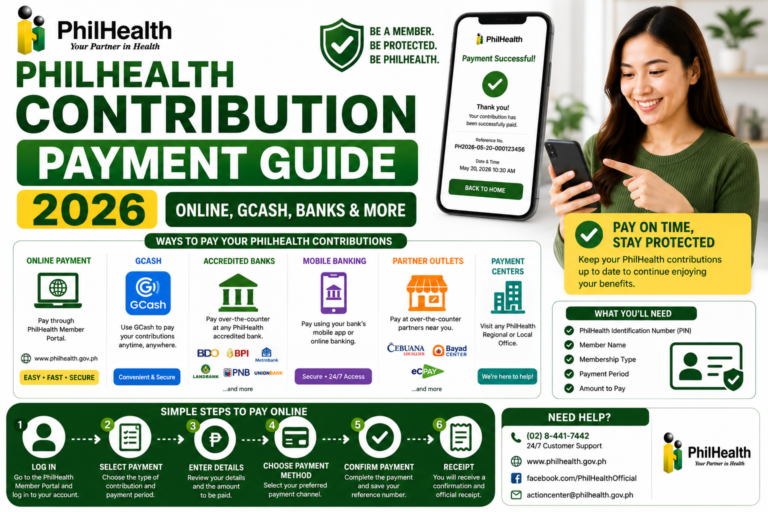
How to Pay PhilHealth 2026: Payment Methods & Schedule Phill-Health-Portal

How to Pay PhilHealth 2026: Payment Methods & Schedule

PhilHealth Contribution Payment Guide 2026: Complete Online, GCash, Banks & More Last Updated: July 16, 2026 A freelance photographer once told me she had been setting aside money for her PhilHealth contribution payment every quarter but had no idea how to actually pay it. She thought she needed to visit a PhilHealth branch, which was […]

Read more 2 months ago
PhilHealth Branches & Contact Numbers 2026: Find Office Near You Phill-Health-Portal

PhilHealth Branches & Contact Numbers 2026: Find Office Near You

PhilHealth Branches & Contact Guide 2026: Complete Office Locations, Hotline & Support Last Updated: July 14, 2026 A tearful mother once approached me outside a PhilHealth branch, her newborn’s birth certificate in hand, having traveled two hours only to discover she was at the wrong type of office for her transaction. She needed a Local […]

Read more 2 months ago
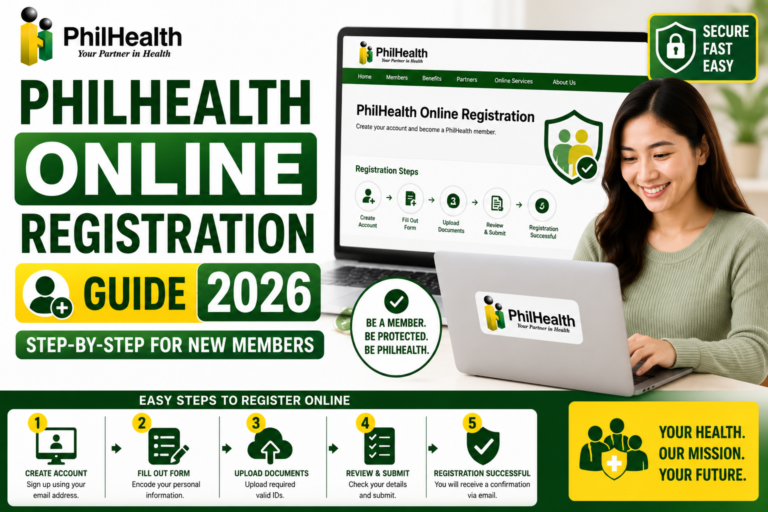
PhilHealth Online Registration 2026: Step-by-Step Guide Phill-Health-Portal

PhilHealth Online Registration 2026: Step-by-Step Guide

PhilHealth Online Registration Guide 2026: Complete Step-by-Step for New Members Last Updated: July 14, 2026 When my nephew landed his first job, he called me in a slight panic. His HR department needed his PhilHealth Number before his start date, and he had never registered. I walked him through the PhilHealth online registration process on […]

Read more 2 months ago
PhilHealth Near Me 2026: Find Your Nearest LHIO Office Phill-Health-Portal

PhilHealth Near Me 2026: Find Your Nearest LHIO Office

✓ Reviewed against official PhilHealth directory PhilHealth Near Me: Find Your Nearest Branch (2026) By PhilHealth Portal Editorial Team Last updated: July 14, 2026 Editorial process: how we research and fact-check Quick answer Branches and Local Health Insurance Offices (LHIOs) move, merge, and change contact details often — there’s no single static list that stays […]

Read more 2 months ago
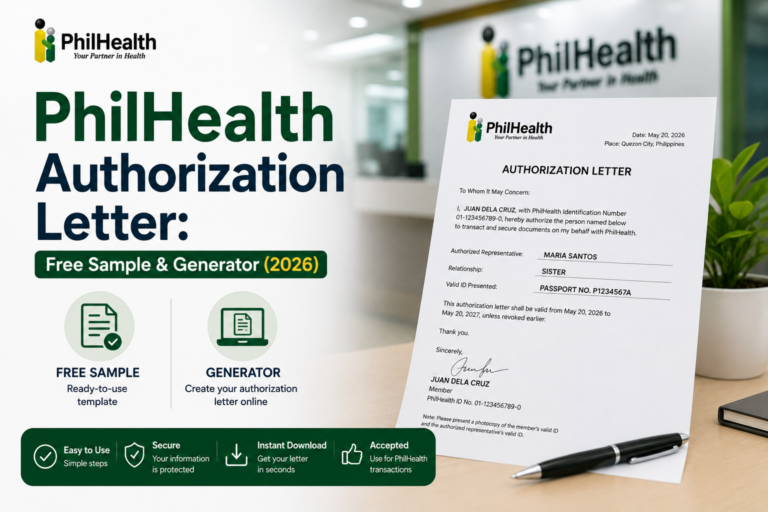
PhilHealth Authorization Letter 2026: Sample Templates & Guide Phill-Health-Portal

PhilHealth Authorization Letter 2026: Sample Templates & Guide

✓ Reviewed against official PhilHealth guidance PhilHealth Authorization Letter: Free Sample & Generator (2026) By PhilHealth Portal Editorial Team Last updated: July 14, 2026 Editorial process: how we research and fact-check Quick answer An authorization letter lets a trusted representative transact with PhilHealth on your behalf — getting your MDR, claiming an ID, updating your […]

Read more 2 months ago
PhilHealth Registration Steps

How to Complete PhilHealth Online Registration

Follow these seven steps to register on the official PhilHealth Member Portal and receive your PhilHealth Identification Number (PIN).

  1. Visit the Official PhilHealth Portal
    Go to the official PhilHealth website at philhealth.gov.ph and click on the Member Portal to begin your PhilHealth online registration.
  2. Fill Out the Online PMRF Form
    Complete the online PMRF (PhilHealth Member Registration Form) with your personal information, employment details, and dependents.
  3. Enter a Valid Email Address
    Enter a valid, active email address you can access immediately to receive your PhilHealth confirmation.
  4. Review and Submit the PhilHealth Form
    Review all your details carefully for accuracy, then submit the PhilHealth registration form.
  5. Confirm Your PhilHealth Account by Email
    Check your email inbox and click the confirmation link to activate your PhilHealth Portal account.
  6. Log In and Get Your PhilHealth Number
    Log in to the PhilHealth Member Portal to receive your PhilHealth Identification Number (PIN) and view your MDR.
  7. Pay Your First PhilHealth Contribution
    Generate a Statement of Premium Account (SPA) and pay your first PhilHealth contribution through GCash, bank, or payment center.

PhilHealth Registration Requirements

  • A valid government-issued ID (or two non-government IDs)
  • A working email address you can check immediately
  • Your personal details: full name, birthdate, address
  • Your employer's details (if employed)
  • Accomplished PMRF form

PhilHealth Registration Tips

  • Use Chrome or Firefox for the best portal experience
  • Check your email spam folder if the confirmation doesn't arrive
  • Save your PhilHealth number (PIN) somewhere safe right away
  • Download your MDR immediately after registration
PhilHealth FAQs

Frequently Asked Questions About PhilHealth Portal Philippines

Answers to common questions about PhilHealth registration, PhilHealth login, PhilHealth contribution, and PhilHealth benefits.

How do I complete PhilHealth online registration?
To complete PhilHealth online registration, visit the official PhilHealth Portal at philhealth.gov.ph. Click 'Register' and fill out the online PMRF form with your personal details, employment information, and dependents. Enter a valid email address, submit the form, and check your inbox to confirm your account. You'll then receive your PhilHealth number (PIN) to log in and access your MDR.
What is the PhilHealth Portal and what can I do there?
The PhilHealth Portal (also called the PhilHealth Member Portal) is the official online platform of the Philippine Health Insurance Corporation. Members can complete PhilHealth online registration, view their MDR PhilHealth record, check PhilHealth contributions, generate a Statement of Premium Account (SPA), update member information, and access PhilHealth benefits information. Always access through philhealth.gov.ph.
How much is the PhilHealth contribution in 2026?
The 2026 PhilHealth contribution rate is 5% of monthly basic salary, with a salary floor of ₱10,000 and a ceiling of ₱100,000. Minimum contribution is ₱500/month, maximum is ₱5,000/month. Employed members split this equally with their employer (2.5% each). Self-employed, voluntary, and OFW members pay the full 5%. This is the final rate under the Universal Health Care Act (RA 11223).
How do I check my PhilHealth contribution online?
Log in to the PhilHealth Member Portal and navigate to 'Premium Contributions' to view your complete PhilHealth contribution history. You can also generate a Statement of Premium Account (SPA) to see unpaid months. Alternative methods include calling the PhilHealth hotline at (02) 8441-7442 or visiting any PhilHealth office with a valid ID.
How do I download my MDR PhilHealth record?
After logging in to the PhilHealth Portal, click on 'MDR Printing' in the dashboard menu. The system generates a PDF of your MDR PhilHealth record showing your member details, contribution status, and qualified dependents. Save this file and keep a printed copy for hospital admissions and benefit claims.
What is the PMRF PhilHealth form used for?
The PMRF PhilHealth form (PhilHealth Member Registration Form) is the primary document for PhilHealth registration. It's used for new member enrollment, updating member information, changing membership category, and declaring legal dependents. You can download the PMRF form from the PhilHealth website or complete it online through the portal.
How do I pay PhilHealth contribution online?
You can pay PhilHealth online through the PhilHealth Member Portal by generating an SPA, then paying via GCash, Maya, bank transfer, or credit/debit card. Other options include Bayad Center, SM Bills Pay, 7-Eleven, and authorized payment centers. Ensure you keep your payment receipt for verification.
I forgot my PhilHealth number. How can I recover it?
You can retrieve a lost PhilHealth number by contacting the PhilHealth Action Center at (02) 8441-7442, emailing actioncenter@philhealth.gov.ph, or visiting any PhilHealth office with a valid ID. Due to data privacy laws, you cannot look up your PhilHealth number by name alone online. Check old payslips or your PhilHealth ID card first.
Is PhilHealth ID a valid government ID?
Yes, the PhilHealth ID is recognized as a valid government-issued ID in the Philippines. The digitized PVC PhilHealth ID card can be used for GCash verification, bank transactions, and other purposes requiring valid identification. You can also access your PhilHealth digital ID through the Member Portal.
What are the PhilHealth benefits for maternity?
PhilHealth maternity benefits cover normal spontaneous delivery and cesarean section. The package includes hospital room and board, professional fees, and medicines. To claim, ensure your PhilHealth contributions are updated and your MDR shows active membership. Coverage applies to the member or qualified dependent.
How do I update my PhilHealth membership information?
To update PhilHealth information, download the PMRF PhilHealth form, check the 'Updating/Amendment' box, write your changes (e.g., adding dependents, changing civil status), and submit with supporting documents to your nearest PhilHealth office or via email to your regional PhilHealth office.
How do I become a voluntary or self-employed PhilHealth member?
If you're not employed, you can enroll as a self-employed or voluntary PhilHealth member by submitting the PMRF form and declaring your monthly income. You'll pay the full 5% premium yourself through accredited channels like GCash, banks, or PhilHealth offices. Paying on schedule keeps your PhilHealth coverage active.
Are senior citizens required to pay PhilHealth contributions?
No. Under Republic Act No. 10645, Filipino senior citizens (60 years and older) are covered by PhilHealth without paying premiums. Their contributions are subsidized by the government, and they receive full PhilHealth benefits. Ensure your membership record is updated to reflect senior citizen status.
How do I register with PhilHealth as an OFW?
Overseas Filipino Workers register under the Direct Contributor category. You can set or update your membership to OFW using the PMRF form — online through the Member Portal or at a PhilHealth office. Contribution and remittance rules for OFW PhilHealth have changed, so confirm current requirements with the PhilHealth OFW desk or your agency.
What is the Z Package PhilHealth?
The Z Package PhilHealth (Z Benefit Package) provides financial coverage for catastrophic illnesses that can bankrupt families. It covers treatments like breast cancer, prostate cancer, acute lymphocytic leukemia, and PhilHealth dialysis. The package significantly reduces out-of-pocket costs for major medical procedures.
Is this the official PhilHealth website?
No. This is an independent educational resource providing guides about the PhilHealth Portal, PhilHealth registration, PhilHealth contributions, and PhilHealth benefits. We are not affiliated with PhilHealth or the Philippine government. For official transactions, always use philhealth.gov.ph or contact PhilHealth directly.
About PhilHealth

Complete Guide to PhilHealth in the Philippines

What is PhilHealth?

The Philippine Health Insurance Corporation (PhilHealth) is the national health insurance program of the Philippines. Established under the Universal Health Care Act (RA 11223), PhilHealth provides financial risk protection to all Filipinos, ensuring access to quality healthcare services without facing financial hardship.

Who Needs PhilHealth Registration?

All Filipino citizens, including employed members, self-employed individuals, OFWs, senior citizens, and indigent members sponsored by the government. Registration is mandatory and provides access to various healthcare benefits.

PhilHealth Registration Requirements

  • Accomplished PMRF form
  • Valid government ID
  • Birth certificate (for new members)
  • Proof of income (for self-employed)
  • Email address and mobile number

Disclaimer

PhilHealth Portal is an independent educational website providing guides about the PhilHealth Portal, PhilHealth registration, and PhilHealth benefits. We are not the official PhilHealth website or affiliated with the Philippine Health Insurance Corporation.

For official PhilHealth transactions, please visit philhealth.gov.ph or contact the PhilHealth Action Center at (02) 8441-7442.

Ready to Get Started with PhilHealth?

Pick a guide below and follow the steps — you'll have your PhilHealth sorted in minutes.