Quick Summary
- Who this guide is for: Filipino citizens, OFWs, and foreigners seeking PhilHealth membership or updates.
- Important Notes: Always prepare valid IDs and correct forms before proceeding.
- Estimated Time: 24 minutes for reading and preparation.
How to Get a PhilHealth Number Online: The Complete 2026 Step-by-Step Guide
What Is a PhilHealth Number?
A PhilHealth Number, officially called the PhilHealth Identification Number (PIN), is a unique 12-digit code assigned to every individual registered with the Philippine Health Insurance Corporation. This number is permanent — it never changes even if you switch jobs, move abroad, change your civil status, or shift membership categories. The PIN is the primary key to your entire PhilHealth record. Every contribution payment, benefit claim, dependent declaration, and membership update is linked to this number. Hospitals use your PIN to verify eligibility during admissions. Employers use it to remit your monthly premiums. You use it to log in to the PhilHealth Member Portal and access your Member Data Record. Think of your PhilHealth Number as your health insurance identity — it is yours for life and should be protected like any other sensitive personal identifier.
Why You Need a PhilHealth Number
Without a PhilHealth Number, you are invisible to the National Health Insurance Program. You cannot claim PhilHealth benefits during hospitalization. Your employer cannot remit your contributions. You cannot access the Member Portal to download your MDR or check your contribution history. A PhilHealth Number is also a common requirement for employment — most HR departments will ask for your PIN on your first day. OFWs need it for OEC processing. Even senior citizens who are automatically covered need a PIN to activate their lifetime membership record. Getting your PhilHealth number online is the first and most essential step toward securing your health insurance coverage in the Philippines.
Who Can Apply for a PhilHealth Number Online
Any Filipino citizen who has never been registered with PhilHealth can apply for a PhilHealth number online. This includes fresh graduates entering the workforce, self-employed individuals and freelancers, voluntary members, Overseas Filipino Workers, senior citizens who were never previously enrolled, students aged 21 and above who need independent coverage, and even indigent members registering through sponsored programs. The online registration system is designed to accommodate all membership categories under the Universal Health Care Act. If you are a first-time applicant with a valid government ID and supporting documents, you can complete the entire process digitally from your phone or computer.
Who Does Not Need to Apply for a PhilHealth Number Again
If you have ever been a PhilHealth member — even years ago — you already have a PIN. Registering again creates a duplicate record, which causes problems with benefit claims and contribution tracking. If you were previously employed and your employer deducted PhilHealth, you have a PIN. If you registered as a student, voluntary member, or sponsored member in the past, you have a PIN. If you have an old PhilHealth ID card or an old MDR printout, your PIN is printed on it. Instead of applying for a new number, use the lost PhilHealth number recovery process to retrieve your existing PIN. Duplicate records must be merged at a PhilHealth branch, which is an avoidable hassle.
Eligibility Requirements for a PhilHealth Number
To be eligible for a PhilHealth number online, you must be a Filipino citizen or a qualified resident alien. There is no minimum age — newborns can be registered as dependents, and individuals of any age can be principal members. You need at least one valid government-issued ID and an active email address. Your membership category — employed, self-employed, OFW, voluntary, or sponsored — determines the additional supporting documents required. The Universal Health Care Act mandates coverage for all Filipinos, so eligibility is universal. The online system verifies your identity through the documents you submit and matches your information against existing PhilHealth records to prevent duplicate registration.
Documents Required Before You Register Online
| Membership Category | Required Documents |
|---|---|
| Employed | Valid ID, employment details or Certificate of Employment |
| Self-Employed / Voluntary | Valid ID, proof of income (business permit, DTI, ITR, or affidavit) |
| OFW | Passport, OEC or employment contract, additional valid ID |
| Senior Citizen | Senior Citizen ID or OSCA ID, valid government ID |
| Student / Unemployed | Valid ID (school ID + birth certificate if no government ID) |
All documents must be scanned clearly in PDF or JPG format. Blurry or unreadable uploads are the most common reason for registration delays. For complete details, see our PhilHealth Requirements guide.
Valid IDs Accepted for Online PhilHealth Registration
PhilHealth accepts the following primary government-issued IDs: Philippine National ID (PhilSys), UMID, passport, driver’s license, PRC ID, SSS ID, GSIS eCard, Senior Citizen ID, OWWA ID, and voter’s ID. The ID must be valid and not expired, must clearly show your full name and photograph, and the name must match the name you enter on your registration form exactly. Secondary IDs like a company ID or school ID may be accepted when accompanied by a birth certificate. For online registration, you need a clear scanned copy or photo of your ID where all details are legible. If your ID is worn out or the photo is faded, have it replaced before attempting online registration to avoid rejection.
How to Get a PhilHealth Number Online (Step-by-Step)
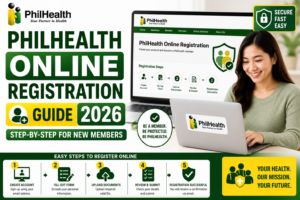
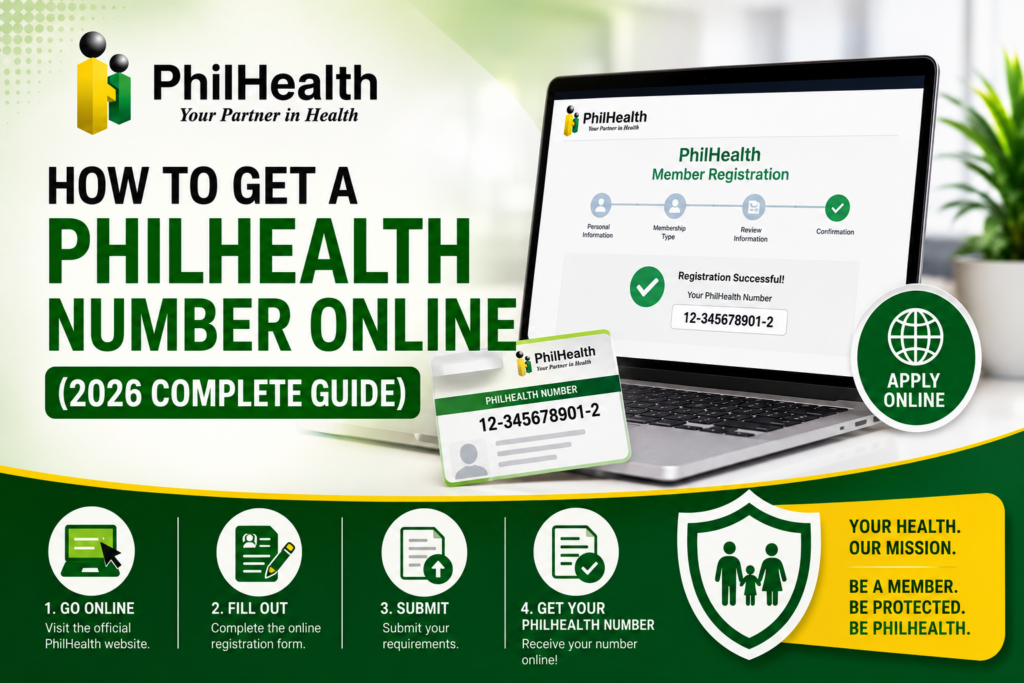
Step 1: Visit the Official PhilHealth Website
Open your browser and go to www.philhealth.gov.ph. Look for the “Online Services” or “Member Portal” link. Never use third-party websites that claim to register you — they may be phishing scams. Verify that the URL begins with https:// and displays a padlock icon.
Step 2: Select New Member Registration
Navigate to the online registration section. Select “Register as New Member” or the equivalent option. You will be directed to the digital PhilHealth Member Registration Form (PMRF).
Step 3: Complete the Digital PMRF
Fill out all required fields accurately. Your full name must match your valid ID exactly — including middle names and suffixes like Jr. or III. Select your correct membership category. Provide your date of birth, contact details, and residential address. If you have dependents, declare them in the appropriate section. Double-check every field before proceeding.
Step 4: Upload Your Documents
Attach clear scanned copies of your valid government ID and any supporting documents required for your membership category. Ensure files are within the size limit and in an accepted format. Rename files simply — for example, “passport_delacruz.pdf” instead of random characters.
Step 5: Submit and Wait for Email Verification
Click “Submit.” You will see a confirmation screen. Within minutes, check your email inbox for a verification message from PhilHealth. Click the verification link to confirm your email address. If you do not see the email, check your spam or promotions folder.
Step 6: Receive Your PhilHealth Number
Once your registration is processed — typically within hours to 3 working days — you will receive an email containing your new 12-digit PhilHealth Identification Number. Keep this email secure. You now have an active PhilHealth membership.
Registering Through the PhilHealth Member Portal
Some first-time applicants may be directed to register through the PhilHealth Member Portal instead of a standalone registration page. The process is similar: visit the portal, click “Register,” and fill out the digital form. The portal registration requires your personal information, membership category, and document uploads. Once submitted, you receive an email verification link. After activating your account and the registration is processed, you can log in to the portal using your new PIN and password. The portal then becomes your permanent access point for downloading your MDR, checking contributions, and managing your membership. If the portal registration pathway is available, it is the most integrated way to get your PhilHealth number online.
How First-Time Applicants Receive Their PIN
After your online registration is approved, PhilHealth sends your PhilHealth Number to the email address you provided. The email will contain your 12-digit PIN and may include instructions on how to activate your Member Portal account. Processing time is typically within 24 hours for straightforward applications with clear documents, though it can take up to 3 working days during peak periods. If your application requires manual review — for example, if your uploaded ID is unclear or your name needs verification — processing may take longer. Once you have your PIN, immediately create your Member Portal account so you can download your MDR and confirm your membership is active.
How to Verify Your PhilHealth Number Is Active
After receiving your PIN, verify that it is active. Log in to the PhilHealth Member Portal using your new PIN and the password you created. If your dashboard displays your name and membership category with an “Active” status, your registration is complete. Download your Member Data Record — this document is the official proof of your active membership. If the portal shows an error or you cannot log in, it may mean your registration is still being processed. Wait 24 hours and try again. If the issue persists, contact PhilHealth support.
How to Download Your Member Data Record After Registration
Once your PIN is active, log into the Member Portal and click on the “Member Data Record” tab. Select “Download MDR.” A PDF document will open containing your full name, PIN, membership type, declared dependents, and contribution summary. Save this file to your computer and phone. Print at least one physical copy. Your MDR is what hospitals and employers will ask for as proof of PhilHealth membership. Since you are a new member, your contribution history may be minimal or blank initially — this is normal. The MDR will populate as contributions are posted over time.
What to Do If You Do Not Receive Your PhilHealth Number
If your PIN has not arrived after 3 working days, take these steps in order. First, search your email inbox thoroughly, including spam, junk, promotions, and social tabs. The email may come from a PhilHealth address you do not recognize. Second, check if you have a transaction reference number from when you submitted your registration — use this when contacting PhilHealth. Third, contact PhilHealth through their official customer service channels: call the hotline, send an email to the official support address, or reach out through verified social media accounts. Fourth, as a last resort, visit a PhilHealth branch with your valid ID and ask about your registration status. Do not submit a second online registration — duplicate applications create problems.
Common Online Registration Errors and How to Fix Them
| Error | Likely Cause | Solution |
|---|---|---|
| “Email Already Exists” | You previously registered an account | Use the Forgot Password link or use a different email |
| “Record Already Exists” | You already have a PhilHealth PIN | Retrieve your existing PIN instead of re-registering |
| Document Upload Failed | File too large or wrong format | Compress file to under size limit, use PDF or JPG |
| Name Mismatch Error | Name on form differs from uploaded ID | Match your form name exactly to your ID |
Troubleshooting Verification Problems
Email verification is the most common stumbling block. If you do not receive the verification email, first check all email folders. If it is not there, click “Resend Verification” on the portal login page. Add PhilHealth’s official email domain to your email contacts to prevent future emails from being marked as spam. If the verification link has expired, request a new one. If your email provider is blocking PhilHealth emails entirely — which can happen with some corporate or institutional email systems — consider using a personal Gmail or Yahoo address for your registration. Once verified, bookmark the portal login page for future use.
How to Recover a Forgotten PhilHealth Number
If you registered in the past but forgot your PIN, do not create a new registration. Instead, use the “Forgot PIN” feature on the Member Portal login page. Enter your full name and date of birth. If the information matches PhilHealth’s records, your PIN will be displayed or sent to your registered email. If you cannot recover it online, visit a PhilHealth branch with a valid ID. A PhilHealth officer can search for your PIN using your name and birthdate. Once recovered, store your PIN in multiple secure locations. See our dedicated lost PhilHealth number guide for detailed recovery steps.
Can You Get a PhilHealth Number Without Employment?
Absolutely. You do not need to be employed to get a PhilHealth number online. Unemployed individuals, students, homemakers, and anyone without formal employment can register as a Voluntary Member or as an Indirect Contributor if they qualify for government sponsorship. Select the appropriate membership category on the PMRF. If you are a voluntary member, you will be responsible for paying your own contributions to maintain active status. If you are unemployed and cannot afford contributions, inquire about sponsored membership through your local government unit or the DSWD. The Universal Health Care Act ensures coverage pathways for all Filipinos regardless of employment status.
How Specific Groups Can Obtain a PhilHealth Number Online
Students
Students aged 21 and above who are no longer covered as dependents can register as voluntary members. Use your school ID alongside your birth certificate if you do not yet have a government ID. Select “Voluntary Member” on the PMRF. Pay your contributions quarterly to maintain active status. For students under 21, you are likely covered as a dependent of your parent’s PhilHealth membership and do not need a separate PIN.
OFWs
Overseas Filipino Workers can complete the entire online registration from their host country. Select “OFW” as your membership category. Upload your passport bio page, OEC or employment contract, and one additional ID. OFWs pay annual contributions. For complete OFW-specific guidance, visit our PhilHealth OFW guide.
Self-Employed and Freelancers
Select “Self-Earning Individual” on the PMRF. Upload your valid ID and proof of income — business permit, DTI registration, certificate of engagement, or income tax return. Your declared income determines your contribution amount. Pay quarterly to maintain active status.
Senior Citizens
Senior citizens who have never been registered can get a PhilHealth number online by selecting the appropriate membership category and uploading their Senior Citizen ID or OSCA ID along with a government ID. Lifetime membership is automatic and premium-free for non-employed seniors. For comprehensive information, see our PhilHealth Senior Citizens guide.
Common Mistakes to Avoid When Getting a PhilHealth Number Online
- Name mismatches: Your name on the registration form must match your ID exactly — same spelling, same order, same punctuation.
- Registering twice: If you are unsure whether you already have a PIN, check before creating a duplicate record.
- Using an inaccessible email: Choose an email you will keep long-term — not a work email you might lose when changing jobs.
- Uploading blurry documents: Unreadable IDs cause processing delays and rejection.
- Ignoring the verification email: Your registration is incomplete until you click the verification link.
- Using fake or third-party websites: Only the official PhilHealth website can process your registration securely.
Safety Tips to Avoid Fake PhilHealth Registration Websites
Scammers create fake PhilHealth portals to steal personal information and sell it or use it for identity fraud. Protect yourself: always manually type the PhilHealth website address into your browser — never click links from unsolicited emails or text messages. Verify the URL is the official government domain. Check for the padlock icon in the address bar. PhilHealth will never ask for payment to process your registration — getting a PhilHealth number online is free. PhilHealth will never call or text you asking for your password or PIN. If a website asks for unusual personal information beyond what is on the standard PMRF, leave immediately. When in doubt, visit a physical PhilHealth branch to register in person.
Reference Tables: Online vs Branch Registration
| Feature | Online Registration | Branch Registration |
|---|---|---|
| Processing Time | Hours to 3 working days | Often same day |
| Documents Needed | Scanned digital copies | Original documents + photocopies |
| Convenience | From anywhere with internet | Requires physical visit |
| Best For | Tech-savvy applicants, OFWs, busy professionals | Those with complex cases, unclear documents, or no internet |
Frequently Asked Questions About Getting a PhilHealth Number Online
Is getting a PhilHealth number online really free?
Yes. PhilHealth does not charge any fee for registration or PIN issuance. The entire online registration process is free. You will only pay when you start making your monthly or annual premium contributions as a member. Anyone asking for payment in exchange for a PhilHealth number is running a scam.
Can I get a PhilHealth number without any valid ID?
A valid ID is a core requirement. If you do not have any government ID, secure a birth certificate from the Philippine Statistics Authority and a barangay certification as supporting documents. You can also apply for the free Philippine National ID, which is widely accepted. Without any form of identification, online registration will likely be rejected.
How will I know if my online PhilHealth registration is successful?
You will receive a confirmation email from PhilHealth containing your new 12-digit PIN. Additionally, you should be able to log in to the PhilHealth Member Portal using your new PIN and password. Downloading your Member Data Record confirms that your membership record exists and is active.
Can I use one email address for multiple family members’ PhilHealth registration?
Generally, PhilHealth requires a unique email address per member account. Using the same email for multiple registrations may cause conflicts in the system. Each adult member should use their own personal email address for registration and account recovery purposes.
What if my name on my ID does not match my birth certificate?
PhilHealth typically matches your registration against the ID you submit. Use the name exactly as it appears on your valid ID. If there is a discrepancy between your ID and birth certificate, resolve this with the issuing agency first, as the mismatch may cause problems with future benefit claims that require birth certificate verification.
Do I need a PhilHealth number before starting a new job?
Ideally, yes. Most employers will ask for your PhilHealth Number on your first day or during onboarding. If you do not have one yet, your employer can facilitate your registration, but getting your PIN online beforehand speeds up the process and ensures you are covered from day one.
Key Takeaways
- You can get a PhilHealth number online for free through the official PhilHealth website by completing the digital PMRF and uploading required documents.
- Processing typically takes hours to 3 working days. Your PIN arrives via the email you provided during registration.
- If you have ever been registered before, retrieve your existing PIN instead of creating a duplicate record.
- Always use the official PhilHealth website. Never share your PIN or password, and never pay anyone for registration.
- Online registration procedures and requirements may change. Always verify the latest steps through the official PhilHealth website at www.philhealth.gov.ph.
Image Recommendations for This Article
- Filename: get-philhealth-number-online-registration-screen.jpg
ALT: Screenshot of the PhilHealth online registration page showing the digital PMRF form fields.
Title: PhilHealth Online Registration Screen
Caption: The digital PMRF form on the official PhilHealth website. - Filename: philhealth-pin-email-confirmation.jpg
ALT: Email inbox showing the PhilHealth confirmation message with the new PIN.
Title: Receiving PhilHealth PIN via Email
Caption: Your PhilHealth Number arrives via email after successful online registration. - Filename: valid-ids-philhealth-online-registration.jpg
ALT: Examples of valid government IDs accepted for PhilHealth online registration.
Title: Valid IDs for PhilHealth Registration
Caption: Accepted government IDs for getting a PhilHealth number online. - Filename: philhealth-member-data-record-first-time.jpg
ALT: Sample Member Data Record for a newly registered PhilHealth member showing the PIN.
Title: First Member Data Record
Caption: Download your MDR immediately after receiving your PhilHealth Number.
Disclaimer
philhealth-portal.ph is an independent informational website and is not affiliated with the Philippine Health Insurance Corporation (PhilHealth) or the Philippine Government. Registration procedures, online services, and membership requirements may change over time. This guide provides general information based on publicly available resources. Always verify important information through official PhilHealth resources at www.philhealth.gov.ph.
Need More Help?
Explore our comprehensive PhilHealth Online Registration Guide for step-by-step instructions.
View Registration Guide →