Quick Summary
- Who this guide is for: Filipino citizens, OFWs, and foreigners seeking PhilHealth membership or updates.
- Important Notes: Always prepare valid IDs and correct forms before proceeding.
- Estimated Time: 23 minutes for reading and preparation.
PhilHealth Member Login Portal: 5 Easy Steps to Access Your Account, MDR, and SPA Securely
The PhilHealth Member Login Portal is not just a website — it is your personal gateway to managing your National Health Insurance Program benefits under Republic Act No. 11223, the Universal Health Care Act. Whether you are an employee verifying your contributions, a freelancer paying your premiums, or an OFW checking your membership status from abroad, the PhilHealth Member Login Portal puts control directly in your hands. In this guide, I will walk you through every aspect of the portal: logging in securely, downloading your Member Data Record, generating a Statement of Premium Account (SPA), checking your contribution history, and paying online. Because portal interfaces and policies may be updated by the Philippine Health Insurance Corporation, always verify the latest steps through the official PhilHealth website at www.philhealth.gov.ph.
What Is the PhilHealth Member Login Portal?
The PhilHealth Member Login Portal is the official, secure digital platform provided by the Philippine Health Insurance Corporation (PhilHealth). It serves as every registered member’s personal command center for managing their health insurance records online. Instead of physically visiting a PhilHealth branch and falling in line, you can log in to the PhilHealth Member Login Portal anytime — even at midnight — and access your complete membership profile.
Through the PhilHealth Member Login Portal, you can instantly view your membership status, download your Member Data Record (MDR), generate your Statement of Premium Account (SPA), and track every premium payment posted to your account. The portal was strengthened under Republic Act No. 11223 to ensure that every Filipino, whether a Direct Contributor or Indirect Contributor, has transparent and convenient access to their health insurance information. Think of it as your personal PhilHealth file cabinet that is always open and never requires a queue number.
5 Key Features of the PhilHealth Member Login Portal
Once you successfully log in to the PhilHealth Member Login Portal, here are the five most important things you can do:
- View and download your Member Data Record (MDR): A PDF document summarizing your membership details, declared dependents, and contribution payments. Hospitals require this during admissions.
- Check your contribution history: See every premium payment posted by your employer or paid voluntarily. This transparency helps you verify that deductions are properly remitted.
- Generate a Statement of Premium Account (SPA): An official billing document that shows exactly how much you need to pay for a specific coverage period.
- Pay contributions online: Voluntary members, self-employed individuals, and OFWs can settle premiums directly through integrated digital payment channels.
- Update personal information: Modify your contact number, email address, or mailing address without visiting a branch.
What You Need Before Logging In to the PhilHealth Member Login Portal
Have these three essentials ready before you attempt to access the PhilHealth Member Login Portal:
- Your 12-digit PhilHealth Identification Number (PIN). This unique identifier is printed on your PhilHealth ID card, old MDR printouts, or any official correspondence from PhilHealth.
- Your portal password. The secure password you created when you first registered your online account on the PhilHealth Member Login Portal.
- Access to your registered email address. This is critical for password resets, account recovery, and receiving important notifications from PhilHealth.
How to Create a PhilHealth Member Login Portal Account (If You Don’t Have One)
Many members mistakenly try to log in to the PhilHealth Member Login Portal without ever registering an online profile. Here is the correct sequence to set up your portal account for the first time:
- Go to the official PhilHealth website at www.philhealth.gov.ph.
- Click “Member Portal” or “Online Services”.
- Select “Register” or “Create an Account”.
- Enter your 12-digit PhilHealth PIN, your last name exactly as registered with PhilHealth, your date of birth, and a valid, active email address.
- Create a strong password that includes uppercase letters, lowercase letters, numbers, and a special character. Confirm it.
- Click “Submit”.
- Check your email inbox for a verification link from PhilHealth. Click that link to activate your PhilHealth Member Login Portal account.
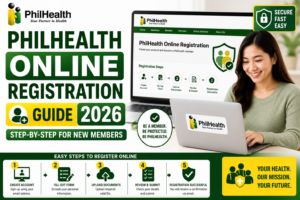
Once activated, you can immediately return to the login page and access your dashboard. If you do not have a PIN at all, you need to complete PhilHealth online registration first. Read our detailed guide: PhilHealth Online Registration.
5 Easy Steps to Log In to the PhilHealth Member Login Portal
Follow these exact steps to successfully log in to the PhilHealth Member Login Portal every time. I have guided hundreds of members through this process, and these five steps work consistently.
Step 1: Visit the Official PhilHealth Website
Open your preferred browser (Google Chrome or Microsoft Edge works best) and go directly to the official PhilHealth website. Locate the “Member Portal” button — usually at the top right corner of the homepage. Always type the URL directly or use a trusted bookmark. Never click random links from unsolicited emails or text messages claiming to be PhilHealth. Verify that the website address displays a padlock icon and begins with https://.
Step 2: Enter Your PhilHealth PIN
In the username field, carefully type your complete 12-digit PhilHealth Identification Number (PIN). Double-check that no extra spaces precede or follow the digits. Your PIN is permanent and uniquely identifies you in the PhilHealth database. If you do not know your PIN, use the “Forgot PIN” link or retrieve it from an old MDR or PhilHealth ID card.
Step 3: Enter Your Password
Type your portal password accurately. Passwords on the PhilHealth Member Login Portal are case-sensitive, meaning “Password123!” is different from “password123!”. Ensure caps lock is off unless you intentionally used capital letters. If available, click the eye icon to temporarily reveal what you typed before pressing the login button.
Step 4: Click the Login Button
Press the “Login” button. Do not press Enter multiple times; clicking once is sufficient. If your credentials are correct, you will be directed to your member dashboard within seconds.
Step 5: Access Your Member Dashboard
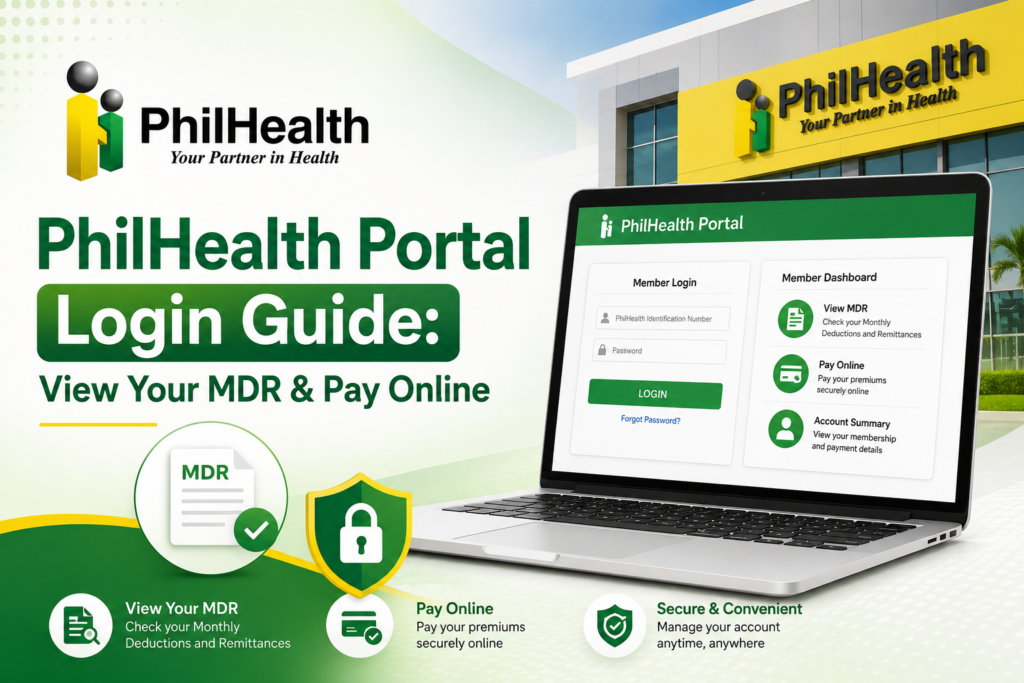
Congratulations! You are now inside the PhilHealth Member Login Portal. Your dashboard displays your full name, membership category, and quick-access links to your Member Data Record (MDR), contribution history, and payment options. From here, you can manage virtually every aspect of your PhilHealth membership online.
How to Reset a Forgotten Password on the PhilHealth Member Login Portal
Forgetting passwords is completely normal. The PhilHealth Member Login Portal has a straightforward recovery process:
- On the login page, click the “Forgot Password” link located below the password field.
- Enter your 12-digit PhilHealth PIN and the email address you used when you registered your portal account.
- Click “Submit” or “Send Reset Link”.
- Open your email inbox. If you do not see the message within five minutes, check your spam or promotions folder.
- Click the password reset link in the email and create a brand-new strong password.
- Return to the PhilHealth Member Login Portal and sign in using your PIN and new password.
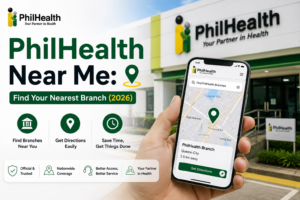
If you no longer have access to the registered email account, you cannot reset your password online. In that case, you must personally visit the nearest PhilHealth branch (find a PhilHealth branch here) with a valid government-issued ID to request an email update on your profile.
How to View and Download Your Member Data Record (MDR)
The Member Data Record (MDR) is the single most important document you can pull from the PhilHealth Member Login Portal. Hospitals and clinics require it to verify your eligibility for PhilHealth benefit deductions during admissions.
- After logging in to the PhilHealth Member Login Portal, look for the “Member Data Record” panel on your main dashboard.
- Click “View MDR” or “Download MDR”.
- A new browser tab will open displaying your MDR as a PDF document.
- Save the PDF file to your computer or smartphone. You can also print a physical copy immediately.
Your MDR contains your full name, 12-digit PhilHealth PIN, membership type, list of all declared qualified dependents, and a chronological summary of your recent contribution payments. I recommend downloading a fresh copy every quarter and before any scheduled medical procedure. For more detailed information, read our comprehensive PhilHealth MDR guide.
How to Generate a Statement of Premium Account (SPA) Through the PhilHealth Member Login Portal
A Statement of Premium Account (SPA) is an official billing document generated within the PhilHealth Member Login Portal. Voluntary members, self-employed individuals, and OFWs use the SPA to determine exactly how much they owe PhilHealth for a specific coverage period.
- From your dashboard, navigate to “Payment Management” or the “Contributions” section.
- Select “Generate SPA”.
- Choose the coverage period you want to pay for (for example, January to March 2026, or a full annual period).
- The system automatically calculates the total amount due based on your membership category and declared monthly income.
- Download or print the SPA. You can use it as a reference for over-the-counter payment at accredited collecting agents, or proceed directly to the online payment option.
How to Check Your Contribution History on the PhilHealth Member Login Portal
After logging in to the PhilHealth Member Login Portal, find the “Contribution History” or “Payment History” tab. This page displays a detailed table listing every premium payment posted to your PhilHealth account.
You will see the date of each payment, the exact amount paid, and the paying entity — either your employer’s name or “Self” for voluntary contributions. It is your right and responsibility to check this record regularly. If your employer deducts PhilHealth contributions from your salary but a month is missing on the portal, raise the issue immediately with your Human Resources department. Keep your payslips as supporting documentary evidence. The exact contribution amount depends on your income bracket; consult the official PhilHealth Contribution Table for the current rates.
How to Pay PhilHealth Contributions Online via the PhilHealth Member Login Portal
For voluntary members, self-employed individuals, and Overseas Filipino Workers, the PhilHealth Member Login Portal offers a direct online payment facility:
- Generate your SPA as described in the section above.
- Click the “Pay Online” button.
- The portal will redirect you to an integrated, secure payment gateway. Available options typically include GCash, Maya, Landbank, and other accredited partner banks.
- Carefully confirm the payment amount and authorize the transaction.
- Download and securely save the electronic receipt. Take a screenshot as a backup.
Payments made directly through the PhilHealth Member Login Portal usually reflect in your contribution history within 24 to 48 hours. If your payment does not appear after three full working days, use the portal’s inquiry or dispute feature and attach your digital receipt as proof. You can also read our full payment guide: PhilHealth Contribution Payment Options.
How to Update Member Information Through the PhilHealth Member Login Portal
Some personal details can be modified directly within the PhilHealth Member Login Portal. Look for a “Profile” or “Update Information” section on your dashboard. Commonly editable fields include your mobile number, email address, and mailing or residential address. These updates are usually processed instantly.
However, major demographic changes — such as correcting a misspelled name, updating your date of birth, or changing your civil status from single to married — require uploading supporting legal documents. You will need to attach a scanned copy of your marriage certificate, annotated birth certificate, or court decree. These requests undergo manual review by PhilHealth personnel and may take several working days to reflect on your PhilHealth ID record. For complete details on identification documents, see our PhilHealth ID page.
5 Common PhilHealth Member Login Portal Errors and How to Fix Them
| Error Message | Likely Cause | How to Fix It |
|---|---|---|
| Invalid Username or Password | Typographical error in PIN or password; caps lock accidentally on. | Re-type credentials slowly. Use the ‘Forgot Password’ link if you remain unsure. |
| Account Not Yet Activated | You skipped or missed the email verification step during registration. | Search your inbox for the activation email. Click ‘Resend Verification’ on the login page. |
| User Not Found | The name or birthdate you typed does not match PhilHealth’s database record. | Verify the exact name spelling and birthdate on your old MDR or PhilHealth ID. |
| Account Temporarily Locked | Too many consecutive failed login attempts triggered a security lock. | Wait 30 to 60 minutes, then reset your password using the ‘Forgot Password’ function. |
| Blank White Page After Login | Corrupted browser cache or ongoing portal maintenance. | Clear your browser cache and cookies, try incognito mode, or switch to a different browser. |
How to Stay Safe from Phishing and Fake PhilHealth Member Login Portal Websites
Cybercriminals create convincing fake PhilHealth login pages designed to steal your PIN and password. Protect yourself and your PhilHealth Member Login Portal account with these practical security habits:
- Verify the URL carefully: The official PhilHealth Member Login Portal is hosted exclusively on the official PhilHealth government domain. Look for the padlock icon and ensure the address begins with https://.
- Never share your password: Legitimate PhilHealth employees will never ask for your portal password via phone call, SMS, social media message, or email.
- Ignore suspicious links: Delete unsolicited messages claiming you must “verify your account urgently” or “confirm your PhilHealth Member Login Portal credentials.” Navigate to the portal manually by typing the address yourself.
- Log out completely on shared devices: If you accessed your account on a public computer, an internet café terminal, or a friend’s phone, always click the “Logout” button when you are finished.
- Keep your browser updated: Modern browsers have built-in phishing detection that warns you about fraudulent websites impersonating the PhilHealth Member Login Portal.
Frequently Asked Questions About the PhilHealth Member Login Portal
Can I access the PhilHealth Member Login Portal on my smartphone?
Yes, the PhilHealth Member Login Portal is fully mobile-responsive and works smoothly on both Android and iOS devices. For the best experience, use Google Chrome or Safari with a stable internet connection. Downloading and saving your MDR as a PDF is easier if you have a file manager app installed on your phone. The mobile interface mirrors the desktop experience, so all features remain accessible.
What is the difference between my PhilHealth PIN and my PhilHealth Member Login Portal password?
Your PhilHealth Identification Number (PIN) is a permanent 12-digit identifier assigned to you by PhilHealth when you first became a member. It never changes. Your PhilHealth Member Login Portal password is a private security code you personally create to protect your online account. The PIN identifies you within the system; the password authenticates that you are indeed the rightful account owner.
How often should I check the PhilHealth Member Login Portal?
I recommend logging in to the PhilHealth Member Login Portal at least once every quarter. This regular habit ensures your employer is correctly remitting contributions on time and that your membership remains in active status. Additionally, download a fresh copy of your MDR every three to six months, and always before any planned medical procedure or hospital admission.
Can OFWs log in to the PhilHealth Member Login Portal from abroad?
Absolutely. The PhilHealth Member Login Portal is accessible from anywhere in the world with an internet connection. Overseas Filipino Workers regularly use the portal to pay their annual premiums, monitor their membership status, generate SPAs, and download MDRs required by overseas employment agencies or for personal record-keeping.
Why is a contribution payment missing on the PhilHealth Member Login Portal even though I already paid?
Payment posting delays are common. Online payments made through the PhilHealth Member Login Portal typically reflect within 24 to 48 hours. Over-the-counter payments at banks or payment centers can take 3 to 7 working days to appear. If a longer period has passed, use the portal’s inquiry feature and attach your official payment receipt as proof of remittance.
Is the PhilHealth Member Login Portal free to use?
Yes, registering for and accessing the PhilHealth Member Login Portal is completely free. PhilHealth does not charge any registration, access, subscription, or maintenance fees for the online portal. The only financial obligation you have is paying your actual PhilHealth premium contributions according to your membership category and income bracket.
Can I print my MDR directly from the PhilHealth Member Login Portal?
Yes. After downloading your MDR as a PDF file through the PhilHealth Member Login Portal, use your device’s standard print function. Hospitals, clinics, and employers accept a printed MDR as an official document proving your active PhilHealth membership status. A digital copy displayed on your phone is also generally accepted.
What browsers work best with the PhilHealth Member Login Portal?
Google Chrome and Microsoft Edge offer the most stable and compatible experience with the PhilHealth Member Login Portal. Mozilla Firefox also works well. Always keep your browser updated to the latest version. If a specific page fails to load properly, clear your cache and cookies, or open a private/incognito window and try logging in again.
Can a senior citizen use the PhilHealth Member Login Portal if they are not comfortable with technology?
Yes, a trusted family member can assist a senior citizen by helping them create their portal account and navigating the PhilHealth Member Login Portal. Senior citizens have the same portal rights and access as all other members. Ensure the assisting family member respects data privacy and does not store the senior’s password insecurely or share it with others.
How do I contact PhilHealth if I cannot resolve my PhilHealth Member Login Portal issue?
If you have exhausted all self-help options, you can contact PhilHealth directly through their official customer service hotline, email support, or by visiting the nearest PhilHealth branch. Always use contact details listed on the official PhilHealth website. For branch locations and contact information, visit our PhilHealth Branches directory or the contact page.
Key Takeaways for Using the PhilHealth Member Login Portal
- The PhilHealth Member Login Portal is the official, secure way to access your MDR, SPA, and contribution history anytime, anywhere.
- You must have a 12-digit PhilHealth PIN and an activated online account to log in successfully. If you only have a PIN, register your portal profile first.
- Forgotten passwords can be reset online using the email address you registered with. If you lost access to that email, visit a PhilHealth branch with a valid ID.
- Always log in through the official PhilHealth website to protect yourself from phishing scams. Never share your password with anyone.
- Portal features, layouts, and procedures may change. Always verify critical information through the official PhilHealth website at www.philhealth.gov.ph.
Image Recommendations for This Article
- Filename: philhealth-member-login-portal-main-screen.jpg
ALT: PhilHealth Member Login Portal login page with PIN and password fields visible.
Title: PhilHealth Member Login Portal Login Screen
Caption: The official login interface of the PhilHealth Member Login Portal. - Filename: philhealth-member-login-portal-dashboard-mdr.jpg
ALT: Member dashboard on the PhilHealth Member Login Portal showing links to MDR and SPA.
Title: PhilHealth Member Login Portal Dashboard
Caption: The member dashboard inside the PhilHealth Member Login Portal. - Filename: downloading-mdr-from-philhealth-member-login-portal.jpg
ALT: User clicking download button to save Member Data Record PDF from the PhilHealth Member Login Portal.
Title: Download MDR from PhilHealth Member Login Portal
Caption: Downloading the Member Data Record through the PhilHealth Member Login Portal. - Filename: philhealth-member-login-portal-spa-generated.jpg
ALT: Sample Statement of Premium Account generated via the PhilHealth Member Login Portal.
Title: SPA Generated on PhilHealth Member Login Portal
Caption: A Statement of Premium Account document generated online. - Filename: online-payment-philhealth-member-login-portal.jpg
ALT: Paying PhilHealth contributions online through the PhilHealth Member Login Portal payment gateway.
Title: PhilHealth Member Login Portal Online Payment
Caption: Online premium payment via the PhilHealth Member Login Portal.
Disclaimer
This website (philhealth-portal.ph) is an independent informational resource and is not affiliated with PhilHealth, the Philippine Health Insurance Corporation, or the Philippine Government. We are a dedicated team of public health communicators committed to making government digital services understandable. Portal features, screens, and procedures may change over time. Always verify critical information and conduct official transactions exclusively through the official PhilHealth website at www.philhealth.gov.ph.
Need More Help?
Explore our comprehensive PhilHealth Online Registration Guide for step-by-step instructions.
View Registration Guide →