Quick Summary
- Who this guide is for: Filipino citizens, OFWs, and foreigners seeking PhilHealth membership or updates.
- Important Notes: Always prepare valid IDs and correct forms before proceeding.
- Estimated Time: 21 minutes for reading and preparation.
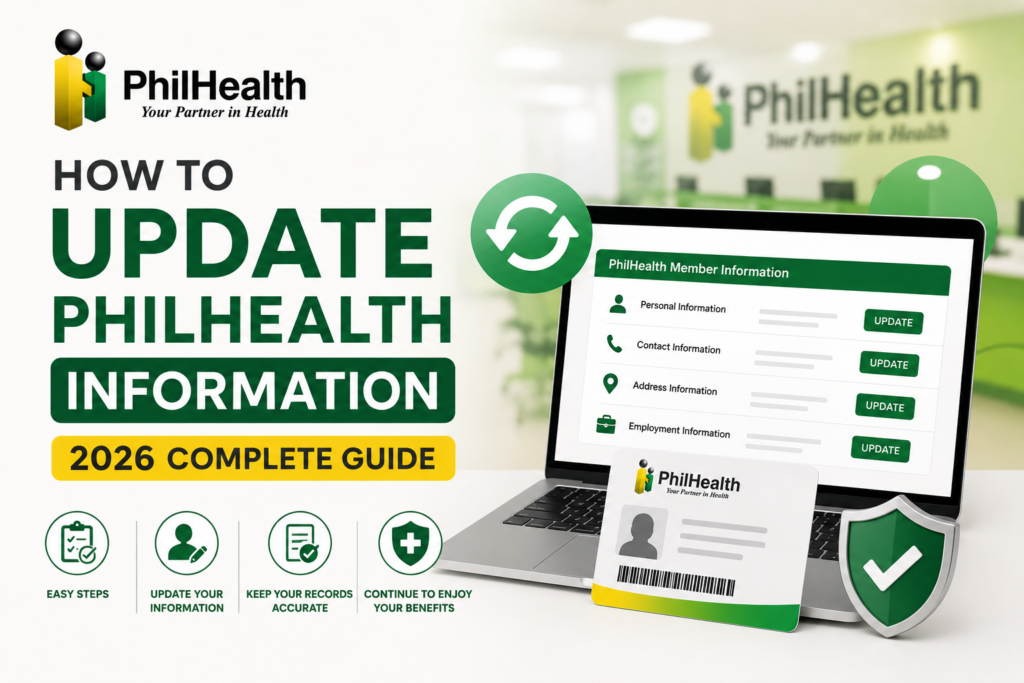
How to Update PhilHealth Information: Complete 2026 Guide for Member Records
What Is a PhilHealth Information Update?
A PhilHealth information update is the formal process of changing or correcting the personal, employment, and dependent details stored in your PhilHealth membership record. When you first registered, you provided information that may now be outdated — your name, address, civil status, employer, or dependents. Updating ensures that PhilHealth’s database reflects your current, accurate information. This is typically done by accomplishing a new PhilHealth Member Registration Form (PMRF), marking it “For Updating,” and submitting it with supporting documents. Keeping your records current is essential for benefit claims, contribution tracking, and all PhilHealth transactions.
Why Keeping Your PhilHealth Records Updated Is Critical
- Claim approvals: Name mismatches between your PhilHealth record and your valid ID can delay or deny benefit claims.
- Dependent coverage: Unregistered dependents cannot claim benefits.
- Contribution accuracy: Your membership category affects how contributions are computed.
- Communication: PhilHealth sends important notices to your registered contact information.
- Employment requirements: Employers need accurate PhilHealth data for proper remittance.
When You Should Update Your PhilHealth Information
- After marriage, annulment, or widowhood — update civil status and name.
- After moving to a new residence — update address.
- After changing jobs or employment status — update employer and membership category.
- After having a child or adopting — add new dependents.
- When a dependent no longer qualifies — remove them from your record.
- When you change your mobile number or email — update contact details.
Who Can Request a PhilHealth Information Update
- The member themselves — by personal appearance at a PhilHealth branch or through the Member Portal.
- An authorized representative — with a signed authorization letter and valid IDs of both the member and representative.
- An employer — for employment-related updates such as new hire reporting or membership category changes.
What PhilHealth Information Can Be Updated
| Information Type | Can Be Updated? | Typical Method |
|---|---|---|
| Full Name / Spelling | Yes | PMRF + supporting legal documents |
| Date of Birth | Yes | PMRF + birth certificate |
| Civil Status | Yes | PMRF + marriage certificate/court decree |
| Address | Yes | PMRF or Member Portal |
| Contact Details | Yes | Member Portal or PMRF |
| Employer | Yes | PMRF + employment documents |
| Membership Category | Yes | PMRF + supporting documents |
| Dependents | Yes | PMRF + proof of relationship |
Quick Update Checklist
- ☐ New PMRF completed and marked “For Updating”
- ☐ Supporting documents prepared (certified true copies)
- ☐ Valid government ID ready
- ☐ PhilHealth PIN available
- ☐ Submission channel chosen (Portal or Branch)
Updating Your Full Name or Correcting Spelling Errors
To update your name — whether due to marriage, court order, or correction of a spelling error — accomplish a new PMRF with the correct name and mark it “For Updating.” For marriage-related name changes, submit a certified true copy of your marriage certificate. For name corrections due to errors, submit your birth certificate showing the correct spelling. For court-ordered name changes, submit the court decree. Bring a valid ID reflecting your correct name. Name mismatches between PhilHealth records and your valid ID are a leading cause of claim delays.
Updating Your Date of Birth
If your date of birth is incorrect in PhilHealth’s records, submit a PMRF marked “For Updating” with your birth certificate from the Philippine Statistics Authority showing the correct date. This is considered a major correction and requires documentary proof. Date of birth errors can affect eligibility for senior citizen benefits and other age-dependent coverage.
Updating Sex or Gender Information
If your sex or gender information is incorrectly recorded, submit a PMRF for updating with a valid ID and, if applicable, supporting legal documents. For members who have undergone legal gender recognition changes, submit the relevant court documents or amended birth certificate.
Updating Your Civil Status
| Change | Required Document |
|---|---|
| Single to Married | Certified true copy of Marriage Certificate |
| Married to Annulled | Court Decree of Annulment |
| Married to Widowed | Death Certificate of spouse |
Updating Your Residential and Mailing Address
Address updates are among the most common PhilHealth update information requests. You can typically update your address through the Member Portal or by submitting a PMRF marked “For Updating” with a valid ID showing your new address. Keeping your address current ensures PhilHealth correspondence reaches you.
Updating Mobile Number and Email Address
Contact information updates are crucial — your email is used for password recovery and your mobile number for important notifications. These minor updates can often be done directly through the Member Portal without submitting a physical PMRF. Log in, navigate to your profile, and edit your contact details. Keeping your email current is especially important for portal account recovery.
Updating Employer Information
When you change jobs, your new employer needs to be reflected in your PhilHealth records. Submit a PMRF marked “For Updating” with your new employer’s details. Your employer may also facilitate this update through their employer portal or by submitting the necessary reporting forms. For more on employer responsibilities, see our PhilHealth Employers guide.
Changing Your Membership Category
Life changes may require switching membership categories — from employed to voluntary after resignation, from voluntary to self-employed when starting a business, or from OFW to employed when returning to the Philippines. Submit a PMRF marked “For Updating” with the new category selected and supporting documents proving the change. For detailed guidance, see our PhilHealth membership guide.
Updating Occupation Details
Occupation updates are relevant for self-employed and voluntary members whose declared income — and therefore contribution amount — is based on their occupation. Submit a PMRF with updated occupation details and any required proof of income.
Adding Dependents to Your PhilHealth Record
To add a dependent, submit a PMRF marked “For Updating” with the dependent’s information and the required proof of relationship: marriage certificate for a spouse, birth certificate for a child, and proof of dependency for parents over 60. Dependents must be formally declared — an undeclared dependent cannot claim benefits.
Removing Dependents from Your Record
When a dependent no longer qualifies — a child turns 21, a spouse becomes employed — submit an update request to remove them. This keeps your records accurate and avoids issues with benefit claims where eligibility is checked against your declared dependents.
Updating Dependent Information
If a dependent’s personal information changes — name correction, updated birthdate — submit the relevant supporting documents along with a PMRF marked “For Updating” to correct the dependent’s record.
Updating Beneficiary Records
PhilHealth allows members to designate beneficiaries for certain benefits. To update beneficiary information, submit a PMRF or the specific beneficiary designation form with the beneficiary’s details and, if required, proof of relationship.
Updating Senior Citizen Information
Senior citizens should ensure their PhilHealth records reflect their lifetime member status. Submit a PMRF with your Senior Citizen ID or OSCA ID to update your category. For more, see our PhilHealth Senior Citizens guide.
Updating OFW Membership Information
OFWs who change employers, return to the Philippines, or need to update dependents should submit a PMRF with the relevant changes. OFW-specific updates are covered in our PhilHealth OFW guide.
Updating Voluntary Membership Details
Voluntary members who need to update declared income, contact information, or dependents follow the same PMRF process. For contribution-related updates, see our voluntary contribution guide.
Required Supporting Documents by Update Type
| Update Type | Required Documents |
|---|---|
| Name Change (Marriage) | Marriage Certificate, Valid ID with new name |
| Name Correction | Birth Certificate, Valid ID |
| Civil Status | Marriage Certificate / Court Decree / Death Certificate |
| Address | Valid ID with new address or proof of residence |
| Add Dependent | Marriage Certificate (spouse), Birth Certificate (child) |
Accepted Valid IDs for PhilHealth Updates
- Philippine National ID (PhilSys)
- UMID, Passport, Driver’s License
- PRC ID, SSS ID, GSIS eCard
- Senior Citizen ID, OWWA ID
- Voter’s ID or Voter’s Certification
How to Complete the PMRF for Updates
Download the latest PMRF from the official PhilHealth website. Fill out the form with your updated information — do not write your old details. At the top of the form, clearly write “For Updating.” This tells the processing officer that this is an amendment request, not a new registration. Sign and date the form. Attach all required supporting documents. For detailed form guidance, see our PhilHealth forms guide.
How to Submit Your PhilHealth Update Request
Step 1: Prepare Your Documents
Complete the PMRF marked “For Updating” and gather all supporting documents. Make photocopies.
Step 2: Choose Your Submission Channel
Submit through the Member Portal if the update feature is available, or visit a PhilHealth branch in person.
Step 3: Submit and Keep Records
Submit your documents. If visiting a branch, bring originals for verification. Keep copies of everything you submit.
Step 4: Verify the Update
After processing, download your updated MDR to confirm changes are reflected.
Updating PhilHealth Information Through the Member Portal
Some updates can be performed through the Member Portal. Log in with your PIN and password. Navigate to your profile or membership information section. Minor updates like contact numbers or addresses may be editable directly. For major changes, the portal may allow document upload. Portal capabilities evolve — check the current features available when you log in. If the update you need is not available online, proceed with the branch submission method.
Updating PhilHealth Information at a Branch
Visit any PhilHealth branch with your completed PMRF marked “For Updating,” supporting documents, and a valid ID. Inform the officer that you need to update your member information. The officer will verify your documents and process the update. Branch submission is recommended for major changes involving legal documents — name, civil status, or dependent declarations.
How to Verify Your PhilHealth Records Were Successfully Updated
After submitting an update, verify it was processed correctly. Log into the Member Portal and download your Member Data Record (MDR). The MDR reflects the most current information in PhilHealth’s database. Check that your updated name, address, dependents, or membership category appear correctly. If changes are not reflected after a reasonable processing period, follow up with the branch where you submitted or contact PhilHealth support.
Downloading an Updated Member Data Record
Your MDR is the official document that confirms your membership details. After an update is processed, always download a fresh MDR. Log into the portal, click “Member Data Record,” and save the PDF. Keep both digital and printed copies. For more on the MDR, see our PhilHealth MDR guide.
Common Reasons PhilHealth Update Requests Are Delayed
- Incomplete supporting documents — missing marriage certificate or birth certificate.
- Unclear photocopies — documents that cannot be read by the processing officer.
- PMRF not marked “For Updating” — the form may be processed as a new registration instead.
- Name mismatches — the name on the update form does not match the submitted ID.
Common Mistakes to Avoid When Updating PhilHealth Information
- Not marking the PMRF “For Updating” — your submission may be treated as a duplicate registration.
- Submitting photocopies without originals — branches require original documents for verification.
- Not verifying the update afterward — always download your updated MDR to confirm.
- Using an old version of the PMRF — always download the latest form from the official website.
Security Tips to Avoid Phishing and Fake Update Websites
Scammers target PhilHealth members with fake update websites and phishing messages. PhilHealth does not send unsolicited messages asking you to click links to update your information. Always navigate directly to the official PhilHealth website by typing the URL yourself. Never enter your PIN or password on websites linked from text messages or emails. PhilHealth will never ask for your password or payment to process an information update. If you receive a suspicious message claiming to be from PhilHealth, report it and delete it. For official communications, only trust the official PhilHealth website and verified PhilHealth social media accounts.
Expert Tips for Managing PhilHealth Information Updates
- Download a fresh MDR quarterly — this habit catches outdated information early.
- Update records within 30 days of any major life event to avoid claim issues.
- Keep a dedicated folder for all PhilHealth forms and supporting documents.
- If you have multiple updates — name change and address change — submit them together on one PMRF.
PhilHealth Update Reference Comparison Tables
Online vs Branch Updates
| Feature | Member Portal | PhilHealth Branch |
|---|---|---|
| Best For | Minor updates (contact, address) | Major updates (name, civil status, dependents) |
| Document Submission | Scanned uploads (if available) | Original documents + photocopies |
| Availability | 24/7 | Business hours |
Common Update Errors and Solutions
| Error | Solution |
|---|---|
| PMRF not marked “For Updating” | Write “For Updating” clearly at the top of the form |
| Missing supporting documents | Use the document checklist; bring certified true copies |
| Update not reflected in MDR | Follow up with PhilHealth branch; verify processing was completed |
Frequently Asked Questions About PhilHealth Updates
Can I update my PhilHealth information online without visiting a branch?
Minor updates such as contact numbers and addresses may be possible through the Member Portal. Major changes like name, civil status, or dependents typically require submitting a PMRF with supporting documents, either through the portal’s document upload feature if available, or at a PhilHealth branch.
How long does it take for PhilHealth to process an information update?
Processing times vary depending on the type of update and submission channel. Minor updates through the portal may be instant. Branch-submitted updates with complete documents are often processed within the same visit, though major changes requiring verification may take longer. Always follow up if changes are not reflected within a reasonable period.
Do I need to update my PhilHealth record if I move to a new house?
Yes. Keeping your address current ensures PhilHealth correspondence reaches you. Address updates are among the simpler changes — often possible through the Member Portal or with a PMRF and a valid ID showing your new address.
Can my employer update my PhilHealth information for me?
Employers can facilitate certain updates, particularly those related to employment status and new hire reporting. However, personal changes like civil status or dependents are typically the member’s responsibility. Check with your HR department about which updates they can process on your behalf.
What if I discover incorrect information on my PhilHealth record from years ago?
You can correct old errors anytime. Submit a PMRF marked “For Updating” with the correct information and supporting documents proving the correct details. There is no time limit for correcting PhilHealth records.
Key Takeaways
- To update PhilHealth information, accomplish a new PMRF, mark it “For Updating,” and submit with supporting documents through the Member Portal or a PhilHealth branch.
- Major changes — name, civil status, dependents — require legal supporting documents like marriage certificates and birth certificates.
- Always verify your update by downloading your updated MDR from the Member Portal.
- Beware of phishing scams — PhilHealth does not send unsolicited messages asking you to click links to update information.
- Update procedures and requirements may change. Always verify through the official PhilHealth website at www.philhealth.gov.ph.
Image Recommendations for This Article
- Filename: philhealth-update-information-pmrf-form-marked.jpg
ALT: PhilHealth Member Registration Form with ‘For Updating’ written at the top.
Title: PMRF for Updating
Caption: Mark your PMRF ‘For Updating’ when submitting information changes to PhilHealth. - Filename: philhealth-update-information-member-portal.jpg
ALT: PhilHealth Member Portal profile section showing editable contact and address fields.
Title: Member Portal Updates
Caption: Some PhilHealth information can be updated directly through the Member Portal. - Filename: philhealth-update-documents-required-checklist.jpg
ALT: Checklist of required documents for PhilHealth information updates including marriage certificate and valid ID.
Title: Update Documents Checklist
Caption: Prepare all required supporting documents before submitting your PhilHealth update.
Disclaimer
philhealth-portal.ph is an independent informational website and is not affiliated with the Philippine Health Insurance Corporation (PhilHealth) or the Philippine Government. Member information update procedures, online services, requirements, and policies may change over time. Always verify important information through official PhilHealth resources at www.philhealth.gov.ph.
Need More Help?
Explore our comprehensive PhilHealth Online Registration Guide for step-by-step instructions.
View Registration Guide →