Quick Summary
- Who this guide is for: Filipino citizens, OFWs, and foreigners seeking PhilHealth membership or updates.
- Important Notes: Always prepare valid IDs and correct forms before proceeding.
- Estimated Time: 19 minutes for reading and preparation.
PhilHealth Dependents Guide 2026: Complete Eligibility, Requirements & How to Add Them
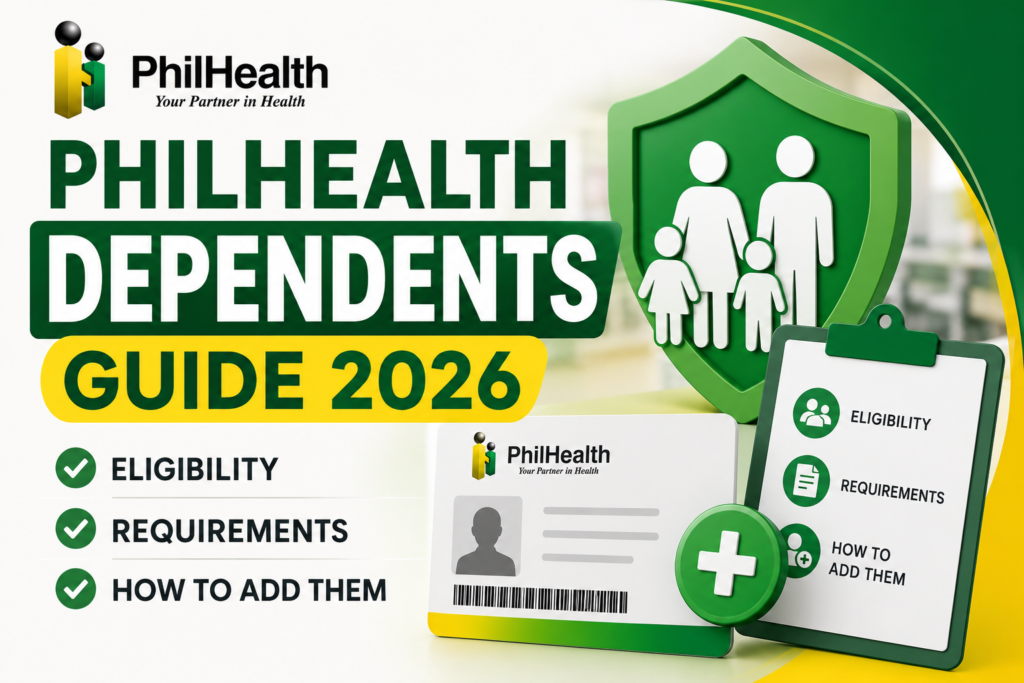
What Are PhilHealth Dependents?
PhilHealth dependents are qualified family members who are covered under a principal member’s PhilHealth health insurance. They share the same PhilHealth benefits as the principal member — including inpatient hospital care, outpatient services, maternity benefits, and catastrophic illness coverage — without needing their own separate PhilHealth membership. Dependents are linked to the principal member’s record and contributions. When a dependent is hospitalized, the PhilHealth case rate benefit is claimed under the principal member’s membership. Critically, dependents are not automatically covered simply by being related to the member. They must be formally declared, documented, and registered with PhilHealth to be eligible for benefits.
Why Declaring PhilHealth Dependents Is Critical
- Without formal declaration, dependents cannot claim benefits — even if the relationship is legitimate.
- Hospital admissions require proof of dependent status — the dependent must appear on your Member Data Record.
- Your contributions cover your dependents — but only if they are properly registered.
- Life events like marriage and childbirth require updating your records to include new family members.
Who Qualifies as a PhilHealth Dependent?
| Dependent Type | Eligibility Conditions |
|---|---|
| Legal Spouse | Not employed; not a PhilHealth member themselves |
| Legitimate / Legitimated Children | Under 21 years old; unmarried; unemployed |
| Legally Adopted Children | Under 21; unmarried; unemployed; with legal adoption documents |
| Stepchildren | Under 21; unmarried; unemployed; dependent on the member for support |
| Children with Permanent Disabilities | Any age; with medical certification of permanent disability |
| Parents | 60 years old and above; financially dependent on the member |
Qualified Spouse as a PhilHealth Dependent
Your legal spouse can be declared as a PhilHealth dependent provided they are not employed and not a PhilHealth member themselves. If your spouse is employed, their employer should register them under their own PhilHealth membership — they cannot be your dependent. To add your spouse, you need a certified true copy of your marriage certificate and your spouse’s valid ID. If your spouse later becomes employed, you must update your records to remove them as a dependent, as they will have their own coverage through their employer.
Children Who Qualify as PhilHealth Dependents
- Legitimate children — born within a valid marriage.
- Legitimated children — children born out of wedlock whose parents later married.
- Legally adopted children — with official adoption documents from the court or DSWD.
- Stepchildren — children of your spouse from a previous relationship who depend on you for support.
All child dependents must be under 21 years old, unmarried, and unemployed. Once a child turns 21, gets married, or becomes employed, they no longer qualify as a dependent and should be removed from your record. The child would then need to register for their own PhilHealth membership — typically as a voluntary or employed member.
Children with Permanent Disabilities
An important exception to the age limit: children with permanent disabilities can remain as PhilHealth dependents regardless of their age. This recognizes that individuals with permanent physical or mental disabilities may never become independently employed and will rely on family support for life. To qualify, you must submit medical certification from a licensed physician confirming the permanent nature of the disability, along with the child’s birth certificate. This provision ensures continuous healthcare coverage for the most vulnerable family members.
Parents Who Qualify as PhilHealth Dependents
Parents aged 60 years and above who are financially dependent on the principal member can be declared as PhilHealth dependents. To add a parent, you need your own birth certificate proving the parent-child relationship, your parent’s birth certificate or valid ID, and evidence of financial dependency. Parents under 60 generally do not qualify unless they have a permanent disability that makes them fully dependent on you. Note that senior citizen parents who are already lifetime PhilHealth members in their own right may not need to be your dependents — they have their own government-subsidized coverage under the Universal Health Care Act.
Who Does NOT Qualify as a PhilHealth Dependent?
- Employed spouse — they should have their own PhilHealth membership through their employer.
- Children 21 and above who are not permanently disabled.
- Married children — regardless of age.
- Employed children — regardless of age.
- Siblings — brothers and sisters are not qualified dependents.
- Parents under 60 without permanent disability.
- Common-law partners — only legally married spouses qualify.
Difference Between a Dependent and a Beneficiary
A PhilHealth dependent is a qualified family member who can claim healthcare benefits under your membership while you are alive. A beneficiary typically refers to someone designated to receive benefits upon a member’s death or for specific claim purposes. In PhilHealth, dependents are the primary family members covered during your lifetime. Do not confuse these terms — adding a dependent ensures they can access hospital benefits now, not after your death.
Dependents Under Direct Contributors
Direct Contributors — employed, self-employed, voluntary members, and OFWs — can declare the full set of qualified dependents described above. Their dependents’ eligibility is tied to the principal member’s active status and contribution record. As long as the principal member meets the contribution requirements (at least three months within the last six months), dependents can claim benefits.
Dependents Under Indirect Contributors
Indirect Contributors — sponsored members, indigents, and 4Ps beneficiaries — can also declare qualified dependents. Their dependents enjoy the same benefits, and the government subsidy covers the family. Dependents must still be formally declared following the same documentary requirements.
Dependents for Voluntary Members
Voluntary members who pay their own contributions have the same dependent privileges as employed members. Their qualified dependents are covered as long as the voluntary member maintains active status through regular premium payments. For more, see our voluntary member guide.
Dependents for OFW Members
Overseas Filipino Workers can declare qualified dependents in the Philippines. These dependents can claim benefits even while the OFW is abroad. The OFW’s family should have a copy of the member’s updated MDR for hospital admissions. For complete OFW guidance, visit our PhilHealth OFW guide.
Dependents for Employed Members
Employed members can add dependents through their employer’s HR department or directly at a PhilHealth branch. Many employers facilitate dependent registration as part of employee benefits administration. Ensure your HR department processes your dependent additions correctly.
Dependents for Self-Employed Members
Self-employed members follow the same dependent declaration process as other member types. Submit a PMRF marked “For Updating” with supporting documents at a PhilHealth branch or through the Member Portal.
Dependents for Senior Citizens
Senior citizen lifetime members can also declare qualified dependents — for example, a dependent spouse who is under 60 and not employed, or a dependent child with a permanent disability. For more, see our PhilHealth Senior Citizens guide.
Quick Dependent Eligibility Checklist
- ☐ Spouse: Married legally; not employed; not a PhilHealth member
- ☐ Child: Under 21; unmarried; unemployed (or permanently disabled at any age)
- ☐ Parent: 60 years old or above; financially dependent on you
- ☐ All: Required supporting documents ready (marriage certificate, birth certificate, medical certification)
Required Documents for Each Dependent Type
| Dependent | Required Documents |
|---|---|
| Spouse | Certified true copy of Marriage Certificate; Spouse’s valid ID |
| Legitimate Child | Certified true copy of Birth Certificate |
| Legally Adopted Child | Court Decree of Adoption or DSWD certification; Birth Certificate |
| Stepchild | Child’s Birth Certificate; Marriage Certificate of member to child’s parent |
| Child with Permanent Disability | Birth Certificate; Medical Certification of permanent disability |
| Parent (60+) | Member’s Birth Certificate; Parent’s Birth Certificate or valid ID |
How to Add Dependents to Your PhilHealth Membership
Step 1: Complete the PMRF Marked “For Updating”
Download the latest PMRF from the official PhilHealth website. Fill out the form with your dependent’s information and write “For Updating” at the top.
Step 2: Gather Required Supporting Documents
Prepare the certified true copies of required documents based on the dependent type — marriage certificate for spouse, birth certificate for children.
Step 3: Submit Your Update Request
Submit through the Member Portal if the dependent update feature is available, or visit a PhilHealth branch. Bring original documents for verification and photocopies.
Step 4: Verify in Your MDR
After processing, download your updated Member Data Record. All declared dependents should appear with their names and dates of birth.
How to Update Dependent Information
If a dependent’s information changes — name correction, updated birthdate, or change in disability status — submit a new PMRF marked “For Updating” with the corrected information and supporting documents. This follows the same process as adding a new dependent.
How to Remove Dependents from Your PhilHealth Record
When a dependent no longer qualifies — a child turns 21, gets married, or becomes employed; a spouse becomes employed; a dependent passes away — submit an update request to remove them. This keeps your records accurate and prevents issues during benefit claims. Use the same PMRF process, indicating the dependent to be removed.
Updating Dependents Using the PMRF
The PMRF is the standard form for all membership updates, including dependent declarations. Download the latest version, fill out the dependent section completely, and mark the form “For Updating.” This signals to PhilHealth that you are modifying existing records, not registering as a new member. For more on the PMRF, see our PhilHealth forms guide.
Updating Dependents Through the Member Portal
If the Member Portal offers dependent management features, you can add, update, or remove dependents online by uploading scanned copies of supporting documents. Portal capabilities evolve — log in and check the current features available. If the dependent update function is not available online, proceed with branch submission.
How to Verify Dependents Are Properly Registered in Your MDR
Your Member Data Record (MDR) is the definitive record of your qualified dependents. Download it from the Member Portal and check the dependents section. Every qualified dependent you have declared should be listed with their full name and date of birth. If a dependent is missing, they are not registered and cannot claim benefits — submit an update immediately. Make it a habit to download a fresh MDR after any life event and at least quarterly.
Common Reasons Dependent Declarations Are Rejected
- Incomplete or unclear documents — blurry photocopies or missing certified true copies.
- Dependent does not meet eligibility criteria — spouse is employed, child is over 21 and not disabled.
- Name mismatches — the dependent’s name on the form does not match the supporting document.
- PMRF not marked “For Updating” — the submission is processed incorrectly.
Common Mistakes to Avoid with PhilHealth Dependents
- Assuming family members are automatically covered — they are not. You must formally declare them.
- Not updating records after major life events — marriage, childbirth, or a child turning 21.
- Keeping ineligible dependents on your record — this can cause claim issues.
- Not checking your MDR after submitting an update — always verify the changes were processed.
Expert Tips for Managing Your PhilHealth Family Coverage
- Add dependents immediately after life events — do not wait for a medical emergency.
- Keep a family folder with certified true copies of all marriage and birth certificates.
- Review your MDR quarterly — check that all dependents are listed and eligible.
- When a child turns 21, help them register for their own PhilHealth membership as a voluntary member.
PhilHealth Dependents Reference Tables
Qualified vs Non-Qualified Dependents
| Qualified | Not Qualified |
|---|---|
| Unemployed legal spouse | Employed spouse |
| Children under 21, unmarried, unemployed | Children 21+ (unless permanently disabled) |
| Parents 60+, financially dependent | Parents under 60 (unless permanently disabled) |
| Children with permanent disabilities (any age) | Siblings of any age |
Frequently Asked Questions About PhilHealth Dependents
Can my common-law partner be a PhilHealth dependent?
No. Only legally married spouses qualify as PhilHealth dependents. Common-law or live-in partners do not meet the legal definition of a spouse under PhilHealth rules. The couple must present a valid marriage certificate to declare a spouse as a dependent.
What happens to my dependent child when they turn 21?
When a child dependent turns 21, they automatically lose eligibility — unless they have a permanent disability. You must update your records to remove them. The young adult should then register for their own PhilHealth membership, typically as a voluntary member. See our voluntary member guide for registration steps.
Can I add my newborn baby as a PhilHealth dependent?
Yes. A newborn child is covered from the moment of birth, provided the principal member’s contributions are current. Submit a PMRF marked “For Updating” with the child’s birth certificate to add them as a dependent. Do this as soon as possible after birth — the baby cannot claim benefits separately until formally registered.
Do my dependents share my 45-day annual room and board limit?
Yes. The 45-day annual limit on room and board coverage applies per member — this includes the principal member and all qualified dependents combined. Track total confinement days across all family members in a calendar year.
Can I add my dependent parents if I have siblings who also support them?
Yes. Parents 60 and above can be declared as dependents even if other siblings also support them. The key requirement is that they are financially dependent on you. Provide your birth certificate proving the relationship and documentation of their dependency.
Key Takeaways
- PhilHealth dependents are qualified family members covered under your membership — spouse, children under 21, and dependent parents over 60.
- Dependents are not automatically covered. You must formally declare them using the PMRF with supporting documents.
- Always verify your dependents appear on your MDR. Missing dependents cannot claim benefits.
- Update dependent records promptly after life events — marriage, birth, adoption, or a child turning 21.
- Dependent eligibility rules may change. Always verify through the official PhilHealth website at www.philhealth.gov.ph.
Image Recommendations for This Article
- Filename: philhealth-dependents-family-coverage-overview.jpg
ALT: Filipino family representing PhilHealth qualified dependents — spouse, children, and elderly parents.
Title: PhilHealth Dependents Family Coverage
Caption: Qualified PhilHealth dependents include spouse, children under 21, and dependent parents over 60. - Filename: philhealth-dependents-required-documents-checklist.jpg
ALT: Checklist of required documents for adding PhilHealth dependents including marriage and birth certificates.
Title: Dependent Documents Checklist
Caption: Prepare certified true copies of required documents when adding dependents to your PhilHealth record. - Filename: philhealth-mdr-dependents-listed-sample.jpg
ALT: Sample Member Data Record showing listed qualified dependents with names and dates of birth.
Title: Dependents in MDR
Caption: Verify your dependents are properly listed on your Member Data Record.
Disclaimer
philhealth-portal.ph is an independent informational website and is not affiliated with the Philippine Health Insurance Corporation (PhilHealth) or the Philippine Government. Dependent eligibility, documentary requirements, membership rules, and healthcare benefits may change over time. Always verify important information through official PhilHealth resources at www.philhealth.gov.ph.
Need More Help?
Explore our comprehensive PhilHealth Online Registration Guide for step-by-step instructions.
View Registration Guide →