Quick Summary
- Who this guide is for: Filipino citizens, OFWs, and foreigners seeking PhilHealth membership or updates.
- Important Notes: Always prepare valid IDs and correct forms before proceeding.
- Estimated Time: 29 minutes for reading and preparation.
PhilHealth Member Portal: The Complete, Human-Verified Guide to Login, Registration, and Online Services (2026)
What is the PhilHealth Member Portal?
The PhilHealth Member Portal is the official, secure digital platform provided by the Philippine Health Insurance Corporation (PhilHealth) under the mandate of Republic Act No. 11223, also known as the Universal Health Care Act. It serves as every member’s personal online command center for health insurance management. Instead of physically lining up at a PhilHealth branch, you can use the portal to access your membership records, track employer or voluntary payments, update personal details, and generate essential documents like the Member Data Record (MDR) and the Statement of Premium Account (SPA).
Think of the portal as your digital PhilHealth ID that is always in your pocket. It is designed for Direct Contributors (employees, self-employed, OFWs) and Indirect Contributors (sponsored members) to have equal visibility over their benefits. The platform connects directly to PhilHealth’s central database, ensuring the information you see is the same information hospitals and clinics use when you seek treatment.
Features of the PhilHealth Member Portal
The portal has evolved significantly. What used to be a simple inquiry page is now a robust PhilHealth online services hub. Here are the primary features you can access once you complete the PhilHealth portal account setup:
- Member Data Record (MDR) download: Instantly save a PDF of your membership details and contribution summary.
- Contribution history: View all posted premium payments made by you or your employer.
- Statement of Premium Account (SPA) generation: Create a billing statement for voluntary or missed payments.
- Online premium payment: Pay contributions directly via linked digital wallets and bank partners.
- Dependent management: Add or remove qualified dependents.
- Personal information update: Correct minor errors in your mailing address or contact details.
- YAKAP Clinic selection: Register with a primary care provider under the Konsultasyong Sulit at Tama program.
Benefits of Using the Member Portal
Why should you register for the PhilHealth Member Portal? The practical benefits are immediate. You save hours of travel and waiting time. You gain 24/7 access to your records — crucial during medical emergencies at midnight or on weekends when PhilHealth offices are closed. The portal also reduces paperwork. For freelancers and OFWs, the ability to track PhilHealth contribution history in real time ensures there are no nasty surprises when filing a benefit claim. Most importantly, it empowers you with information; you can independently verify your membership status without relying on a middleman or a call center agent.
Who Can Use the PhilHealth Member Portal?
The portal is open to all registered PhilHealth members across all categories. This includes:
- Private and government employees whose contributions are shared with their employer.
- Self-employed individuals and freelancers managing their own payments.
- Overseas Filipino Workers (OFWs) paying annual premiums.
- Voluntary members who wish to continue coverage after employment.
- Senior citizens and lifetime members verifying their automatic coverage.
- Sponsored members (Indirect Contributors) who want to view their active status.
If you have a PhilHealth Identification Number (PIN), you are entitled to create a PhilHealth online account. If you do not have a PIN yet, you must complete the PhilHealth registration process first (learn about online registration here).
Requirements Before Creating an Account
Before you click that “Register” button, have these items ready to prevent frustration:
- Your PhilHealth Identification Number (PIN).
- A valid and accessible personal email address.
- Your full name as it appears on your government ID.
- Your date of birth.
- A stable internet connection (preferably not mobile data for the initial upload, to prevent disconnection).
Information Needed During Registration
The portal registration form is designed to verify your identity against PhilHealth’s existing records. You will be asked for:
- Your 12-digit PhilHealth PIN.
- Last name, first name, and middle initial exactly as registered in PhilHealth’s database.
- Date of birth (month, day, year format).
- A current email address that only you can access.
You will also create a password. The system typically requires a minimum of eight characters, including an uppercase letter, a number, and a special character.
How to Register for the PhilHealth Member Portal (Step-by-Step)
Let’s walk through the actual PhilHealth Member Portal registration screen by screen. I will describe exactly what you will see so there are no surprises.
Step 1: Visit the Official Website
Open your browser and type in the official PhilHealth website address. Make sure the connection is secure (look for the padlock icon). Click on the “Member Portal” or “Online Services” button prominently displayed on the homepage. Avoid third-party links; always navigate manually or use a trusted bookmark.
Step 2: Click ‘Register’
On the PhilHealth login page, you will see a form asking for your PIN and password. Below that, there is a link or button labeled “Register Now” or “Create an Account”. Click that. Do not attempt to log in if you have never created an online account, even if you have a PIN.
Step 3: Fill Out the Online Registration Form
Input your PhilHealth Identification Number carefully. Enter your last name. Note: if your last name has special characters or an extension (like Jr. or III), include it exactly as it appears on your official PhilHealth records. Provide your birth date and a valid email address.
Step 4: Set Your Password
Create a strong password. Write it down or save it in a reputable password manager. The portal will ask you to confirm the password by typing it a second time.
Step 5: Submit and Check Your Email
Click “Submit” or “Register”. A message will appear stating that a verification link has been sent to your email. Do not close the browser window yet. Open your email inbox, look for the message from PhilHealth, and click the verification link. If you do not see it, check the Spam or Promotions folder — this is a very common issue.
How to Activate Your PhilHealth Online Account
Activation is the final lock to open. The email you receive will contain a unique link. Clicking it confirms that you own the email address and completes the PhilHealth account activation. If the link expires (which can happen if you wait too long), simply go back to the login page and use the “Resend Verification” option. Once activated, you can immediately return to the portal and perform a PhilHealth login using your PIN and new password. Some accounts may require a brief 24-hour syncing period before all features, like MDR download, become fully visible.
How to Log In to the PhilHealth Member Portal
The PhilHealth Member Portal login process is straightforward once your account is activated. Go to the official portal page. Enter your 12-digit PIN in the username field. Type your password. Before hitting “Login”, double-check that caps lock is off and there are no leading spaces. Click “Login”. You will arrive at the member dashboard, which displays a summary of your membership status, the latest contribution posted, and shortcuts to the MDR and payment sections.
How to Reset a Forgotten Password
Passwords slip our minds. If you cannot remember yours, click the “Forgot Password” link located below the login form. You will be asked to enter your PIN and registered email address. The system sends a password reset link. Open the link, create a brand new password, and log in. If you no longer have access to the registered email, you cannot reset the password online. In that situation, you must visit a PhilHealth branch to request an email update in person, bringing a valid ID for verification.
How to Recover a Locked PhilHealth Account
Too many incorrect password attempts will temporarily lock your PhilHealth member account as a security measure. Usually, the lockout period lasts between 15 minutes to an hour. Close the browser, wait, and try again. If the account remains locked beyond that timeframe, use the “Forgot Password” function to initiate a full reset. This often overrides the lock. For persistent lockouts, contacting PhilHealth’s official support desk is necessary. Keep your PIN and a valid ID ready when you call to verify your identity.
How to Update Your Member Information Online
Minor changes are possible online. Log in and look for “Profile” or “Update Membership Information”. Here you can typically edit your mailing address, mobile number, and email address. Major changes — such as correcting a misspelled name, changing your date of birth, or updating your civil status — usually require uploading supporting legal documents (like a marriage certificate or annotated birth certificate) for approval, and sometimes a manual override by a PhilHealth officer. Never fabricate details online; only input factual corrections you can support with evidence.
How to View and Download Your Member Data Record (MDR)
The Member Data Record is arguably the most downloaded file on the portal. After logging in, locate the “Member Data Record” panel. Click “View MDR”. A new tab opens displaying a PDF. You can save this to your computer or phone. The PhilHealth MDR shows your full name, PIN, membership type, dependents, and contribution summary. Hospitals use this to verify your eligibility for deductions. I advise saving a fresh copy every quarter to ensure you have the most recent record, especially if your employer updates contributions monthly.
How to Check PhilHealth Contributions Online
Your dashboard has a “Contributions” or “Payment History” section. This lists every premium paid, the date of posting, and the employer or paying entity. It is your right to verify that your employer is remitting premiums on time. If you notice a missing month, do not panic immediately. There is often a posting delay of a few weeks. However, if a quarter passes and the payment is missing, contact your HR department and file a query. Self-employed members can cross-reference their online payments here.
How to Generate a Statement of Premium Account (SPA)
The Statement of Premium Account (SPA) is a billing document generated by the portal. Voluntary members, OFWs, and self-employed individuals use the SPA to see exactly how much they owe for a chosen period. In the portal, go to “Payment Management” and select “Generate SPA”. Choose the applicable months or the year, and the system will calculate the total due based on your membership category and declared income. You can then print the SPA to pay over the counter, or proceed directly to online payment.
How to Pay PhilHealth Contributions Online
Through the PhilHealth online payment gateway, voluntary members can settle premiums instantly. After generating an SPA, select the “Pay Online” option. The portal may redirect you to an integrated payment facilitator or present options like GCash, Maya, or Landbank Link. Follow the prompts, confirm the amount, and authorize the payment. A transaction receipt appears on screen — save this and download it. The payment typically reflects in your contribution history within 24 to 48 hours. If it does not, use the “Payment Inquiry” or “Report Discrepancy” feature with your receipt attached.
How to Manage Your YAKAP Clinic Selection
Under the Universal Health Care Act’s primary care benefit, members are encouraged to register with a YAKAP Clinic or accredited primary care provider. In the portal, check for the “Primary Care” or “YAKAP” tab. You can select from a list of accredited facilities near your residence. This selection ensures you have a designated clinic for check-ups and initial treatment, streamlining your access to outpatient benefits. If the feature is not visible, it might be rolling out incrementally across regions.
Common PhilHealth Login Problems and Solutions
I have seen these issues repeat themselves. Here is how to fix them fast. If you see “Invalid Username/Password”, verify your PIN is exactly 12 digits and your password has no spaces. If you see “Account Not Yet Activated”, you missed the email verification step; resend the link. “User Not Found” often indicates a mismatch between the name you typed and what PhilHealth has on file; try using your middle initial or removing suffixes. A blank white page usually signals browser incompatibility — switch to Google Chrome or Microsoft Edge and clear your cache.
Common Registration Errors on the PhilHealth Portal
- “Email Already Exists”: You might have previously registered. Use the “Forgot Password” function with that email.
- “PIN Not Found in Database”: The name and birthdate you entered do not match the PIN record. Double-check the exact details on your old PhilHealth ID or form.
- “Verification Link Expired”: This is normal if you waited more than 24 hours. Repeat the registration process or click “Resend Verification” on the login page.
Portal Maintenance and Downtime
The PhilHealth online portal occasionally undergoes scheduled maintenance, usually announced on the official PhilHealth social media pages. Maintenance often occurs late at night or on weekends. If the portal is inaccessible, wait a few hours. Do not repeatedly attempt to log in during maintenance; your account will not be affected, and you are just wasting your time. Always keep an offline copy of your latest MDR so that maintenance downtime does not block a hospital admission.
Security Tips to Protect Your PhilHealth Portal Account
- Never share your password or PIN with anyone, even someone claiming to be a PhilHealth agent.
- Log out completely when using a shared or public computer.
- Beware of phishing emails that mimic PhilHealth but ask for personal financial details. PhilHealth will never ask for your full credit card number.
- Enable any available two-step verification if the portal offers it in the future.
- Regularly check your contribution history to spot unauthorized changes.
Advantages of Using the PhilHealth Online Portal
Beyond convenience, the portal promotes transparency. You no longer have to blindly trust that your employer paid your contributions; you can verify it monthly. It also accelerates hospital admissions. Staff can quickly scan your MDR barcode, reducing the processing time at the billing counter. For OFWs, the portal bridges the distance, allowing premium payments from anywhere in the world.
Member Portal vs Visiting a PhilHealth Branch
While the portal handles 90% of routine transactions, physical branches are still essential for biometric capture, duplicate PIN merging, and complicated legal name changes. Use the portal for downloads, payments, and viewing. Use the branch for initial ID card processing and disputes that cannot be settled online. Knowing the difference saves you hours of your life.
Mobile Access and Device Compatibility
You can access the PhilHealth Member Portal Philippines using a smartphone browser. The website is mobile-responsive, meaning it resizes to fit your screen. However, downloading and saving PDF files is easier on a device with a file manager. If you only have a phone, use Chrome for Android or Safari for iOS, and ensure pop-ups are not blocked for the PDF window to open.
Frequently Asked Questions About the PhilHealth Member Portal
Is the PhilHealth Member Portal free to use?
Yes. Registration, account activation, and access to the PhilHealth Member Portal are completely free. You should never pay anyone to create a portal account for you. The only costs involved are the actual premium contributions you pay through the portal or over the counter, which go toward maintaining your active membership and health insurance coverage.
Can I register for the PhilHealth Member Portal without a PIN?
No. A PhilHealth Identification Number is mandatory because the portal links your online account to your existing membership records. If you do not have a PIN, you must first complete the PhilHealth online registration or visit a branch. Once you receive your PIN, you can immediately proceed to create your portal account.
Why does my Member Data Record show the wrong contribution amount?
Contribution data on the MDR comes directly from payment postings. If your employer submitted payments late or incorrectly encoded the amount, your MDR will reflect that. You should file a discrepancy report through the portal’s inquiry form or coordinate with your HR department. Keep your payslips showing PhilHealth deductions as evidence.
How do I add my newborn baby as a dependent in the portal?
Log in, go to the Dependents section, and select “Add Dependent”. Enter the baby’s full name and birth date, and upload a clear scanned copy of the child’s birth certificate. The newborn is covered from the moment of birth, provided the principal member’s contributions are up to date. Processing takes a few days.
What should I do if I forgot the email I used for the PhilHealth portal?
This is a challenging situation because email is the primary recovery method. If you cannot recall which email you registered, you must go personally to a PhilHealth branch with your valid ID. Request an email update on your portal profile. Once updated, you can reset your password online.
Can OFWs view their PhilHealth records from abroad?
Absolutely. The PhilHealth Member Portal is accessible worldwide as long as you have an internet connection. OFWs regularly log in to pay premiums, check their contribution history, and download their MDR for overseas employment agencies or personal records.
How often is the contribution history updated on the portal?
Employer remittances are usually posted within a month after payment. Online payments made directly through the portal are typically reflected within 24 to 48 hours. Over-the-counter payments can take 3 to 7 working days to appear, as the partner collecting agent transmits the data to PhilHealth.
Is the Statement of Premium Account the same as the MDR?
No. The MDR (Member Data Record) is your membership profile and summary of contributions. The SPA (Statement of Premium Account) is a billing statement that tells you how much you need to pay for a specific period. You generate an SPA to make a payment, and after payment, that amount appears on your MDR.
Can I change my PhilHealth PIN using the portal?
No. Your PhilHealth Identification Number is a permanent, unique identifier. It cannot be changed. If you have been accidentally issued two PINs, this is a duplicate record problem that must be resolved at a PhilHealth branch by requesting a membership merging.
Why is the portal telling me my session has expired?
For security reasons, the PhilHealth Member Portal automatically logs you out after a period of inactivity, usually 15-20 minutes. If you are filling out a long form, you might lose your input. A good practice is to download your MDR or SPA first, then fill out complex update forms quickly, or use a text editor to draft text and paste it in.
How do I know if my employer is remitting my PhilHealth contributions?
The Contribution History section of the portal tells you everything. Every remittance made by your employer is listed with a posting date. If you suspect non-remittance despite salary deduction, compare your payslip deductions against the portal. Discrepancies should be reported immediately to your HR and, if unresolved, to PhilHealth.
Can senior citizens register online even if they have never worked?
Yes. Senior citizens classified as lifetime members or indirect contributors can still register on the portal. If they have never been issued a PIN, a family member can assist with the initial PhilHealth online registration to secure a PIN. Once the PIN is available, the portal account can be set up using the senior citizen’s details and email address.
What is the YAKAP clinic and why should I select one?
YAKAP stands for “Yakap sa Kalusugan para sa Bawat Pilipino”. It is PhilHealth’s primary care benefit program. Selecting a clinic in the portal designates your primary care provider, who will handle your initial medical needs and outpatient consultations. This gatekeeping function is part of the Universal Health Care system and may be required to access full benefit packages.
Does the portal show my PhilHealth benefits coverage?
While the portal primarily focuses on membership records and contributions, it does indicate your active status and eligibility. The specific case rate packages and Z-benefit details are usually found in the general PhilHealth circulars. However, an active MDR is your first proof that you are eligible for all statutory benefits.
Can I use the portal to file a benefit claim?
Currently, the PhilHealth Member Portal is not used for direct filing of hospitalization claims; those are typically processed between the accredited hospital and PhilHealth directly. The portal’s role in claims is to provide the MDR that proves your eligibility. Some e-claims features are under development as part of PhilHealth’s digital transformation.
What browser works best for the PhilHealth Member Portal?
Google Chrome and Microsoft Edge offer the most stable experience. Mozilla Firefox is also fully compatible. Ensure your browser is updated to the latest version. Disable aggressive ad-blockers temporarily if they prevent pop-ups from showing the PDF MDR. Safari on Apple devices works but occasionally caches the login page heavily.
Is my medical history visible in the Member Portal?
No. The Member Portal is an administrative membership tool. It does not contain your private medical records, diagnosis, or treatment history. It only holds your personal demographics, declared dependents, and premium payment records. Your actual medical files are kept confidential between you, your doctor, and the hospital.
How can a student who just turned 21 use the portal?
When a dependent turns 21, coverage under a parent’s membership typically ends (unless the child has a permanent disability). The young adult must register as a voluntary member. After securing a new PIN as a voluntary direct contributor, they can then create their own independent PhilHealth Member Portal account to start paying premiums.
Are there any transaction fees when paying online through the portal?
PhilHealth itself does not impose extra transaction fees. However, some partner payment gateways, digital wallets, or banks might charge a minimal convenience fee for online transactions. Check the final payment summary before authorizing the debit. Over-the-counter payments at PhilHealth branches or accredited agents usually do not have convenience fees.
What do I do if my MDR says ‘Inactive’ but I have been paying?
An “Inactive” status despite payments suggests a technical error, a missed contribution in the database that needs updating, or a merged record issue. Visit the Member Portal’s inquiry section and submit an adjustment request with your proof of payment. If unresolved within two weeks, bring your receipts to the nearest PhilHealth office for manual updating.
Summary: Your Health Insurance, Always Within Reach
The PhilHealth Member Portal is not merely a government website; it is the modern Filipino’s tool for health financial literacy. From the moment you complete your PhilHealth Member Portal login, you take ownership of your healthcare data. You can verify your PhilHealth contribution history, download your MDR, and pay your premiums without missing a day of work. The portal stands as a testament to the objectives of Republic Act No. 11223 — making universal healthcare truly accessible and transparent.
If you haven’t activated your PhilHealth online account yet, spend the next ten minutes doing so. It is the easiest administrative task you can complete today that will protect you and your family tomorrow. Bookmark the official portal, keep your password safe, and make it a habit to check your records at least once every quarter.
Ready to Access Your PhilHealth Records?
Visit the official PhilHealth website now to log in or register. For related guidance, explore our PhilHealth Benefits page to understand what your membership covers, or our PhilHealth Requirements page if you still need to gather documents.
Image Recommendations for This Article
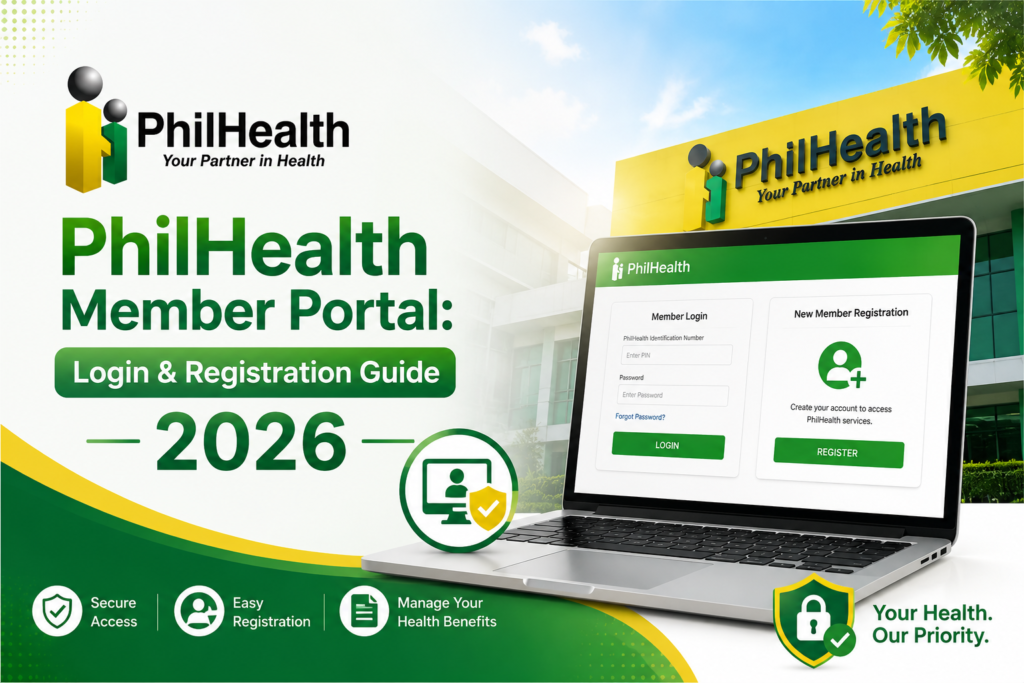
- Filename: philhealth-member-portal-login-screen.jpg
ALT: PhilHealth Member Portal login page showing fields for PIN and password.
Title: PhilHealth Member Portal Login
Caption: The official login interface of the PhilHealth Member Portal where members input their credentials. - Filename: philhealth-portal-registration-form.jpg
ALT: PhilHealth portal account registration form with sample filled-in data.
Title: Online Portal Registration Form
Caption: Step-by-step view of the PhilHealth Member Portal registration form for new online users. - Filename: member-data-record-sample-pdf.jpg
ALT: Sample PhilHealth Member Data Record document displaying membership details and barcode.
Title: PhilHealth MDR Sample
Caption: A sample of the Member Data Record that users can download from the portal. - Filename: philhealth-contribution-history-table.jpg
ALT: Screenshot of PhilHealth contribution history table showing posted payments and dates.
Title: Contribution History Online
Caption: The contribution history section inside the PhilHealth Member Portal. - Filename: philhealth-forgot-password-reset-screen.jpg
ALT: PhilHealth password reset page requesting PIN and email address.
Title: Password Reset Portal
Caption: The password recovery page of the PhilHealth Member Portal for locked or forgotten accounts. - Filename: philhealth-spa-statement-generation.jpg
ALT: Generating a Statement of Premium Account on the PhilHealth portal.
Title: Generate SPA Online
Caption: Members can generate their Statement of Premium Account directly through the online portal. - Filename: philhealth-online-payment-gcash-integration.jpg
ALT: PhilHealth online payment gateway with GCash and bank options displayed.
Title: Online Premium Payment Options
Caption: The integrated payment options available for PhilHealth contributions via the Member Portal. - Filename: updating-dependents-philhealth-portal.jpg
ALT: Adding a new dependent in the PhilHealth portal with birth certificate upload field.
Title: Update Dependents Online
Caption: The dependent management feature inside the PhilHealth Member Portal. - Filename: philhealth-email-verification-inbox.jpg
ALT: Email inbox showing the PhilHealth account verification email with activation link.
Title: Account Verification Email
Caption: The activation email sent by PhilHealth to verify a member’s portal registration. - Filename: philhealth-member-portal-mobile-view.jpg
ALT: PhilHealth Member Portal accessed on a smartphone browser with responsive layout.
Title: Mobile Portal Access
Caption: The PhilHealth Member Portal is fully functional on mobile devices for on-the-go access.
Key Takeaways
- The PhilHealth Member Portal gives you 24/7 access to your membership data, eliminating the need for branch visits for routine transactions.
- You need your PhilHealth Identification Number (PIN) and a valid email to register for the PhilHealth online portal.
- Through the portal, you can instantly download your Member Data Record (MDR), check your contribution history, and generate a Statement of Premium Account.
- Security is paramount: never share your password, and always log out after using a public computer.
- Procedures and website layouts may change; always verify through the official PhilHealth website if you encounter a screen that looks different from this guide.
Disclaimer
This website (philhealth-portal.ph) is an independent informational resource and is not affiliated with PhilHealth, the Philippine Health Insurance Corporation, or the Philippine Government. We are a dedicated team of public health communicators committed to making government procedures accessible. Official procedures, portal features, and policies may change. Always verify important information and conduct official transactions through the official PhilHealth website.
Need More Help?
Explore our comprehensive PhilHealth Online Registration Guide for step-by-step instructions.
View Registration Guide →